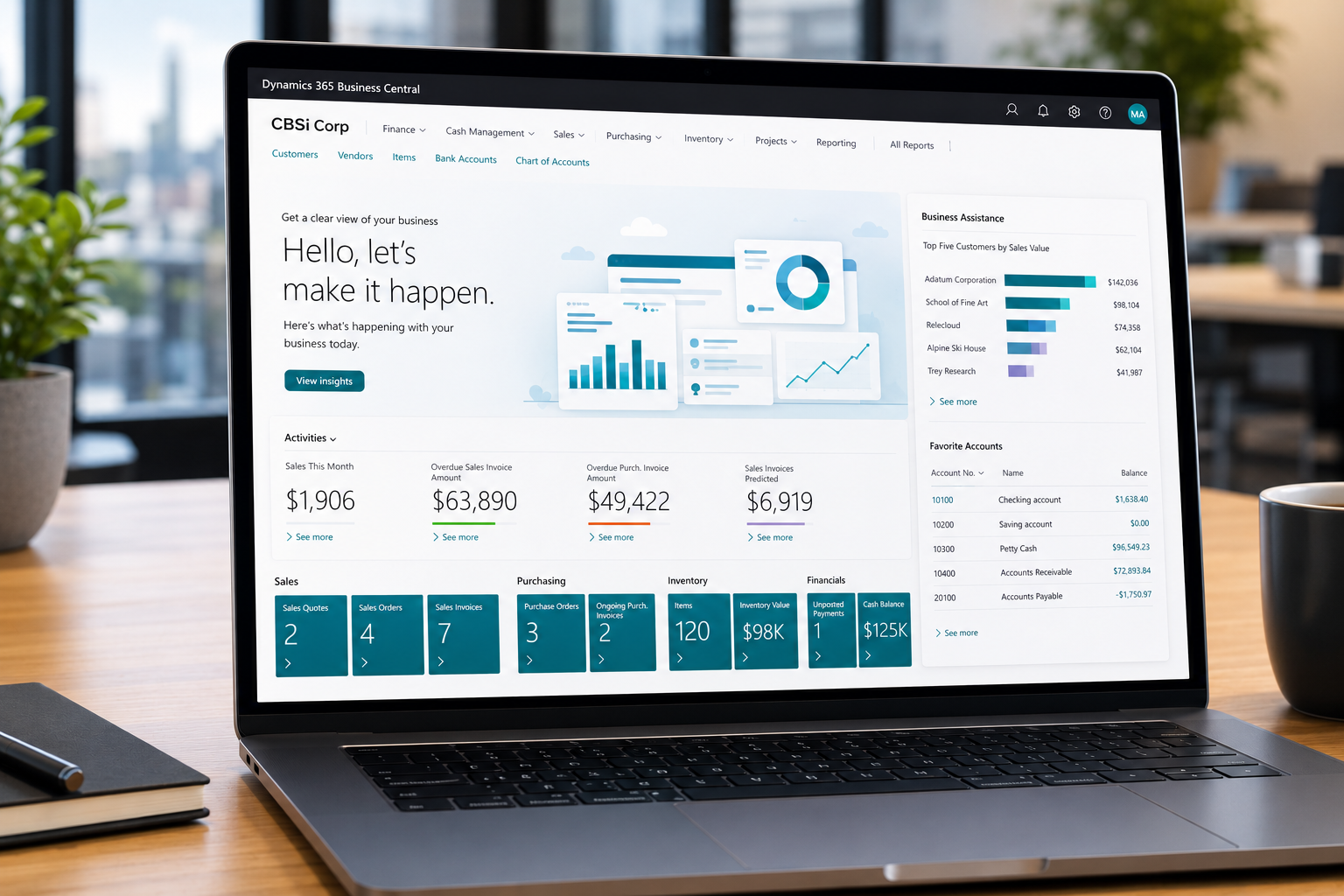
Reduce Accounts Receivable Oilfield: Improve Cash Flow

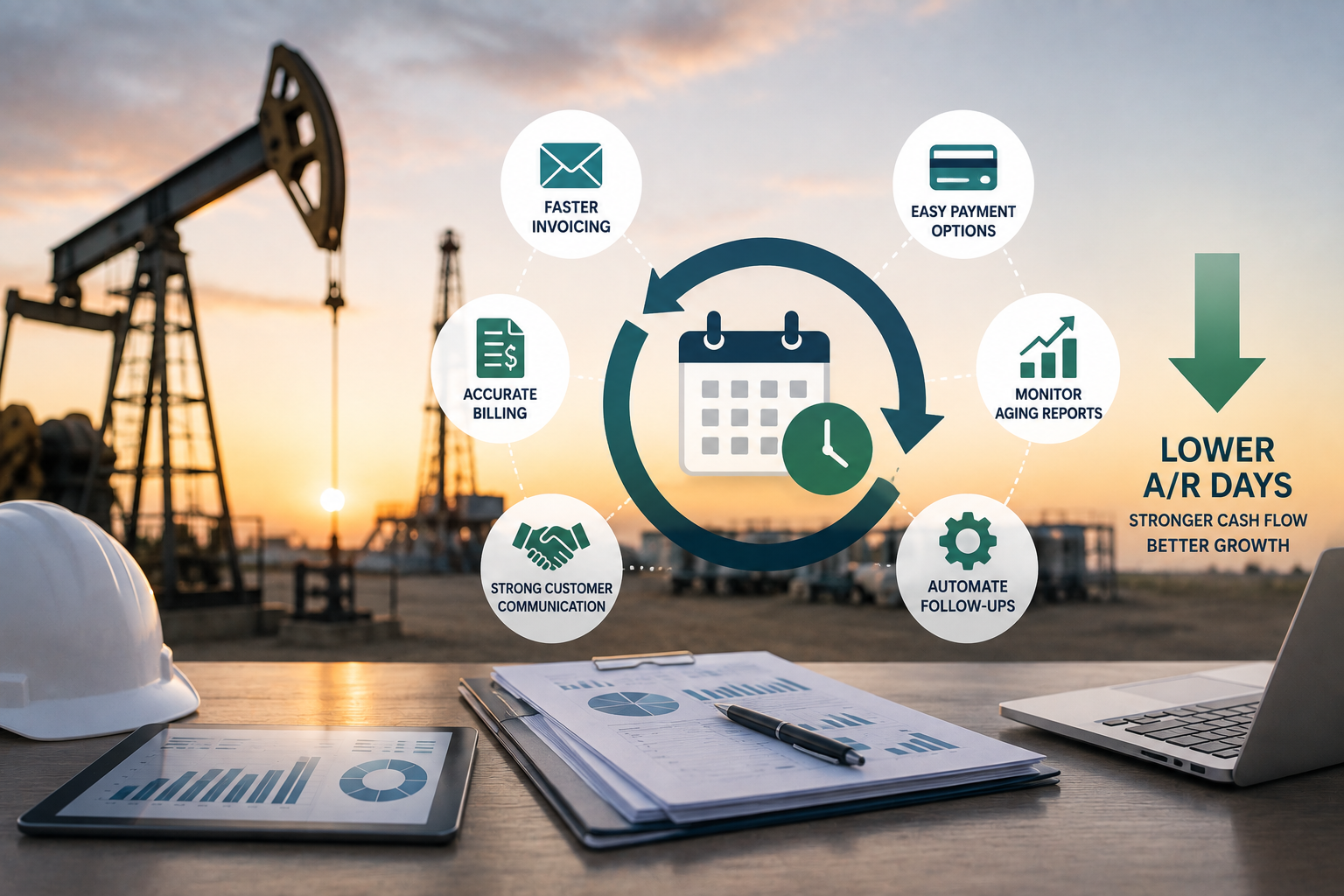
In oilfield service, you can have a full crew deployed, jobs closing on schedule, and a healthy order book, and still find yourself short on cash. The reason is often the same: the gap between completing a job and collecting payment is too wide. To reduce accounts receivable oilfield delays, companies need faster invoicing, accurate billing, and better payment follow-up processes.

The oil industry is notorious for taking 60 to 90 days to pay invoices. When your operation is already carrying the upfront cost of crews, equipment, fuel, and materials before collecting a dollar, that payment cycle puts real pressure on working capital. Reducing accounts receivable days, the average number of days between completing a job and receiving payment, is one of the most direct ways to improve cash position without adding revenue.

The good news is that for most oilfield service companies, a significant portion of that delay is not coming from customers. It is coming from internal processes that can be fixed.

Where AR Days Actually Come From

Before addressing accounts receivable days, it helps to understand where they are actually being lost. Most oilfield companies assume the problem is slow-paying customers. In reality, the biggest delays are usually internal.

The Gap Between Job Completion and Invoice Delivery

The more useful approach is to compare actual collection time with contracted terms. If customers agree to pay in 60 days but the company collects in 85, the extra 25 days indicate a process, documentation, dispute, or collection problem.

That extra 25 days is not the customer’s fault. It is the result of field tickets that take days to reach the office, manual data re-entry that introduces errors, and billing processes that cannot keep pace with job volume. Every day between job completion and invoice delivery is a day added to your AR cycle before the customer’s payment terms even begin.

Billing Errors That Trigger Disputes

When invoices go out with inaccurate information, customers dispute them. Disputed invoices do not get paid until the dispute is resolved, which adds days or weeks to the collection cycle on top of the original delay.

Most billing errors in oilfield service trace back to the same root cause: data captured on paper in the field gets manually re-entered into a billing system by someone who was not on the job. Transcription errors, missing service codes, incorrect equipment charges, and wrong rental periods all produce invoices that do not match what the customer experienced, and disputes follow.

Incomplete Field Documentation

Customers who receive an invoice without supporting documentation, a signed field ticket, a photo of completed work, or a clear record of equipment deployed, have grounds to delay payment pending verification. When field documentation is paper-based and attached manually to invoices, completeness and accuracy vary with whoever filled out the ticket that day.

How ofsERP® Compresses the AR Cycle

ofsERP®, built on Microsoft Dynamics 365 Business Central, addresses accounts receivable days by fixing the internal process gaps that create billing delay in the first place.

The results are measurable. One CBSi client saw their average invoice closed in days move from 83.7 to 13.0 in less than a year after implementation. That compression did not come from pushing customers to pay faster. It came from fixing the process between job completion and invoice delivery.

Paperless Field Ticketing That Feeds Directly Into Billing

With ofsERP®, field crews capture time, materials, equipment usage, photos, and customer signatures digitally at the job site. That data flows directly into the billing workflow within Business Central without manual re-entry.

When a job is completed, the invoice data is already in the system, accurate and complete, ready for billing without waiting for paper tickets to arrive, be transcribed, and be verified. The days previously lost between field completion and invoice generation effectively disappear.

Invoicing just 10 days quicker increases cash on hand by $273,972 for every $10 million of annual revenue invoiced based on net terms. Accounts receivable decreases by the same amount.

For a detailed look at how those numbers work across different revenue levels and billing cycles, the proof and formulas behind billing efficiency break down the math in practical terms.

Accurate Invoices That Reduce Disputes

Because field data flows from the job site directly into invoicing without manual re-entry, the information on the invoice reflects what actually happened on the job. Service codes, equipment charges, rental periods, and labor hours are captured accurately at the source.

Accurate invoices get approved faster, disputed less often, and paid sooner. For oilfield service companies running high job volumes, even a modest reduction in dispute rate has a compounding effect on average AR days across the entire receivables portfolio.

Electronic Signatures and Photo Documentation Attached to Every Invoice

Customer signatures captured digitally at the job site are immediately attached to the ticket record in ofsERP®. Photos documenting completed work, delivered equipment, and job site conditions are stored alongside the ticket and available to support the invoice.

When a customer questions an invoice, supporting documentation is available immediately rather than requiring someone to locate a paper ticket that may have been filed, lost, or never properly attached in the first place. That documentation availability reduces the time disputes take to resolve and removes the leverage customers have to delay payment pending verification.

Real-Time AR Visibility That Supports Proactive Collections

ofsERP® gives your billing team real-time visibility into the accounts receivable pipeline, including which invoices are outstanding, how long they have been open, and which accounts are approaching or past their payment terms.

That visibility supports proactive follow-up rather than reactive collections. When an invoice is approaching its due date without payment, your team knows before it becomes overdue rather than discovering it during a manual AR review. Earlier follow-up consistently produces earlier payment and reduces the average days outstanding across the portfolio.

The Compounding Effect of Tighter Billing Cycles

Reducing AR days does not just improve cash flow on individual invoices. It changes the cash position of the entire business on an ongoing basis.

When billing consistently goes out within days of job completion rather than weeks, the receivables balance at any given point reflects a shorter window of outstanding work. That means more of the revenue your operation is generating is available as working capital rather than sitting in unpaid invoices.

For oilfield service companies carrying the upfront cost of field operations before collecting payment, that shift in working capital availability changes what the business can do. It supports faster equipment purchases, more confident hiring decisions, and the ability to take on larger contracts without straining cash position.

The broader cash flow strategies that consistently separate high-performing oilfield companies from the rest almost always include a tight, accurate, automated billing process as the foundation.

Fixing AR Days Is an Internal Problem With an Internal Solution

Most oilfield service companies that struggle with high AR days are not at the mercy of slow-paying customers. They are losing days internally, in the gap between field completion and invoice delivery, in billing errors that trigger disputes, and in collections processes that react to problems rather than preventing them.

ofsERP® fixes those internal gaps. CBSi brings over 17 years of oilfield ERP implementation experience and more than 30 years of combined expertise in Microsoft Dynamics NAV and Business Central. Learn more about why oilfield companies choose CBSi, explore CBSi’s full range of ERP services, and review the ofsERP® FAQ for more detail on how the platform handles billing automation and AR management.

Ready to Take Your Business to the Next Level?

The key is to start with what matters most to your business today, apply it consistently, and build from there. If you are ready to take your business to the next level, call 800-455-5915 or schedule a call!
How Long Does Business Central Implementation Take?

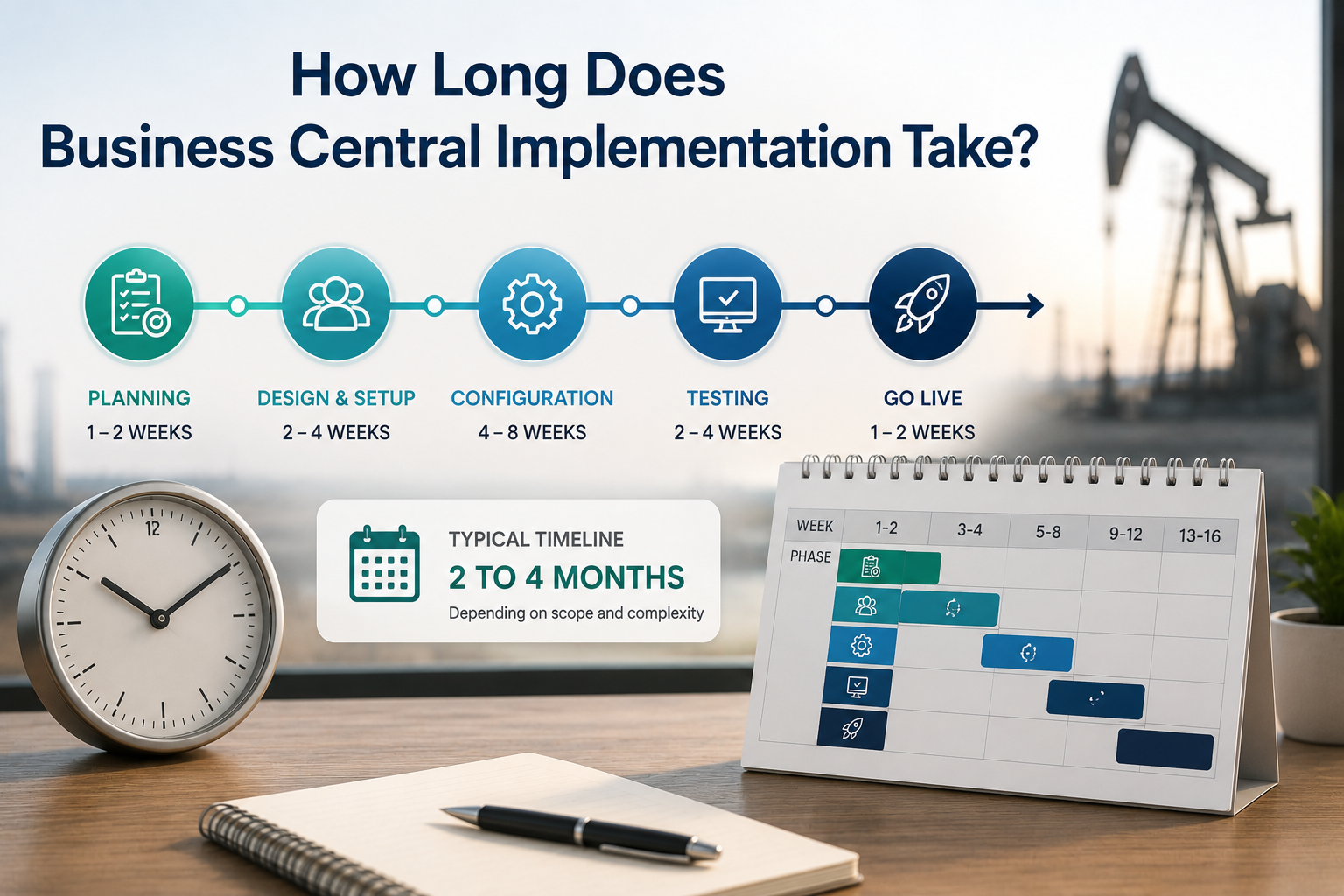
When businesses start evaluating Microsoft Dynamics 365 Business Central, one of the first practical questions is how long does business central implementation take? It is a fair question, and the honest answer is that it depends on several factors that vary significantly from one company to the next.

What can be said with confidence is this: with the right implementation partner, a well-scoped Business Central project for a mid-market company typically goes live within 60 to 90 days. Simpler implementations can move faster. More complex ones with significant data migration, custom configurations, or multiple integrations take longer.

Understanding what drives the timeline, and what you can do to keep it on track, is more useful than a single number.

What Determines Your Implementation Timeline

Scope and Complexity

The single biggest driver of implementation timeline is the scope of what you are implementing. A company going live on Business Central financials and basic inventory with a clean existing dataset moves faster than a company implementing financials, field service, equipment rental, job costing, and hauling management with years of legacy data to migrate.

For companies in industries like oilfield service, construction, equipment rental, or discrete manufacturing, the operational complexity of the business adds configuration work that a generic accounting implementation does not require. Industry-specific extensions like ofsERP® add capability that directly addresses that complexity, but they also require configuration time to set up correctly around your specific workflows.

The right approach is not to minimize scope to shorten the timeline. It is to define scope accurately at the start so the timeline reflects what is actually being built.

Data Migration

Data migration is consistently one of the most time-consuming and most underestimated phases of any ERP implementation. Migrating customers, vendors, inventory, equipment records, open transactions, and financial balances from a legacy system into Business Central requires extraction, cleaning, mapping, and validation before anything goes live.

The condition of your existing data has a direct impact on how long this takes. Clean, well-structured data in a system with good export capabilities moves faster than years of accumulated inconsistencies across multiple disconnected tools. Companies that invest time in data cleanup before migration begins consistently have smoother go-lives and tighter timelines.

Number of Users and Locations

A 10-user implementation at a single location involves less configuration, testing, and training than a 100-user implementation across multiple sites. Each additional location introduces questions about how data is structured, how access is managed, and how reporting reflects the multi-site operation.

Business Central scales from small teams to companies with 400 or more users without a platform change, but the implementation scope expands with the size and geographic distribution of the operation.

Integration Requirements

Many businesses need Business Central to connect to other systems, payroll platforms, customer portals, third-party reporting tools, or industry-specific applications. Each integration adds scope, testing time, and potential complexity to the implementation.

CBSi’s integration capabilities cover connections across a wide range of platforms, but integration scope needs to be identified and scoped early in the process rather than added after the core implementation is already underway.

Partner Experience in Your Industry

This is where implementation partner selection has a direct impact on timeline. A partner with deep experience in your industry configures Business Central faster and more accurately than one learning your workflows for the first time.

Successful ERP implementations require a multidisciplinary team with a diverse set of skills, including a solid understanding of accounting principles, business processes, and industry-specific operations. Equally important are deep product expertise, effective project management capabilities, and strong communication skills. When even one of these elements is missing, the project is at risk of becoming challenged or failing altogether.

CBSi’s team brings all of those elements to every implementation. CBSi has refined a structured implementation process over 17 years. Most clients are live and seeing results within 60 to 90 days.

The Typical Implementation Phases

While every implementation is different, the structure of a well-managed Business Central project follows a consistent sequence of phases.

Discovery and Assessment

Before any configuration work begins, CBSi conducts a thorough assessment of your current system, your data, and your operational workflows. This phase identifies gaps between your current state and what Business Central needs to be configured to support, surfaces data quality issues that need to be resolved before migration, and establishes a clear scope and timeline for the project.

Skipping or shortcutting this phase is one of the most common contributors to implementation delays. Problems identified in discovery are far less disruptive to address than problems discovered after configuration is already underway.

Configuration and Development

With scope defined, the system is configured around your specific workflows, chart of accounts, reporting requirements, and industry needs. For companies using CBSi’s extensions for Business Central, this phase also includes setting up the industry-specific functionality that standard Business Central does not cover on its own.

Any custom solutions required for your specific operation are developed and tested during this phase before data migration begins.

Data Migration and Testing

Cleaned and mapped data is migrated into the configured Business Central environment. The system is then tested against real operational scenarios to verify that workflows, reporting, and integrations all perform correctly before any users go live.

Testing is not optional and not a formality. It is the phase that catches configuration gaps while they are still easy to address.

Training and Go-Live

CBSi delivers structured implementation plans and hands-on training designed to drive user adoption and minimize risk. Training is built around your actual workflows, not generic Business Central tutorials, which accelerates adoption and reduces the post-go-live friction that slows most implementations down.

Go-live is supported by CBSi’s team to ensure the cutover is controlled and any issues that surface in the first days of live operation are addressed quickly. 24/7 support is available after go-live to keep the system performing as it should.

Frequently Asked Questions About How Long Does Business Central Implementation Timeline Take

Can we go live faster than 60 days? Yes, for smaller implementations with clean data and limited scope. The right question is not how fast you can go live, but how fast you can go live correctly. A rushed go-live that requires significant post-launch correction costs more time overall than a well-paced implementation that gets it right from the start.

What slows implementations down most often? Data quality issues discovered late, scope changes after configuration has begun, and insufficient internal resources available to support the implementation alongside day-to-day operations are the three most consistent contributors to timeline slippage.

Does a migration from NAV to Business Central take longer than a new implementation? It depends on the complexity of your NAV environment. CBSi’s Dynamics NAV migration approach evaluates your current setup, identifies what to retain, and structures the migration to minimize disruption. In many cases, a NAV-to-BC migration is faster than a greenfield implementation because the business processes are already defined and the data is already in a structured ERP format.

What does implementation cost? Implementation cost varies with scope, complexity, and the number of users. CBSi’s pricing page provides a starting point, and a scheduled consultation is the most direct way to get an accurate picture of what implementation would cost for your specific situation.

The Right Implementation Gets You Live Faster

The fastest path to a successful Business Central go-live is a structured implementation with a partner who has done it before in your industry. CBSi brings over 17 years of industry ERP implementation experience and more than 30 years of combined expertise in Microsoft Dynamics NAV and Business Central. Learn more about why companies choose CBSi, explore CBSi’s full range of ERP services, and review the ofsERP® FAQ for answers to the most common questions about implementation scope and timeline.

Ready to Take Your Business to the Next Level?

The key is to start with what matters most to your business today, apply it consistently, and build from there. If you are ready to take your business to the next level, call 800-455-5915 or schedule a call!
QuickBooks vs Business Central for Oilfield: When Oilfield Service Companies Outgrow Their Accounting Software

QuickBooks is where a lot of oilfield service companies start. It is affordable, familiar, and gets the job done when the business is small enough that a straightforward accounting tool covers most of what you need.

The problem is that oilfield service companies do not stay small. Jobs multiply. Crews expand. Equipment fleets grow. Service lines diversify. And at some point, the system that handled accounting for a five-person operation starts showing serious strain under the weight of a twenty, fifty, or hundred-person business running multiple lines of service across several job sites simultaneously.

That moment, when QuickBooks stops being a solution and starts being a constraint, is the moment the conversation about Microsoft Dynamics 365 Business Central with ofsERP® becomes worth having.

What QuickBooks Does Well for Early-Stage Oilfield Companies

It is worth being clear about this. QuickBooks is genuinely useful for oilfield service companies in their early stages, and the companies that start with it are not making a mistake.

For a small operation focused primarily on invoicing customers, paying vendors, tracking expenses, and producing basic financial reports, QuickBooks handles those tasks reliably and at a price point that makes sense for a business still finding its footing.

The limitations are not apparent immediately. They emerge gradually as the business grows and the gap between what QuickBooks was designed to do and what the business actually needs widens to the point where it can no longer be bridged by workarounds.

The Signs You Have Outgrown QuickBooks

Most oilfield service companies do not make the decision to move off QuickBooks because of a single breaking point. They make it because a pattern of limitations has been accumulating long enough that the cost of staying has become greater than the cost of changing.

Your Financial Data Lives in Too Many Places

QuickBooks handles accounting. It does not handle field ticketing, equipment tracking, rental order management, or job costing in any meaningful way for oilfield operations. As a result, oilfield companies running QuickBooks inevitably build a surrounding ecosystem of spreadsheets, separate field service apps, equipment tracking tools, and manual processes to cover the gaps.

The more that ecosystem grows, the more time your team spends moving data between systems, reconciling discrepancies, and managing integrations that were never designed to work together. That overhead compounds as job volume increases, and the administrative burden of holding the patchwork together starts consuming resources that should be going toward the operation itself.

Job Costing Is Impossible to Do Accurately

QuickBooks offers basic job costing functionality, but for oilfield service companies managing labor, materials, equipment usage, and overhead across multiple simultaneous jobs at different locations, that basic functionality falls well short of what is needed.

When you cannot accurately track what each job actually costs in real time, you cannot know which jobs are profitable and which are quietly eroding your margin. Pricing decisions get made on incomplete information. Underperforming jobs do not get identified until month-end reporting, when the opportunity to address them has already passed.

The impact on revenue growth is direct. Companies that cannot see their job-level profitability are making growth decisions based on aggregate financials that may look healthy while individual jobs underperform.

Equipment Management Is Handled Outside the System

QuickBooks has no meaningful equipment asset management capability. For oilfield service companies whose fleet is their primary revenue-generating asset, that gap is significant.

Equipment location, availability, utilization, maintenance history, and rental status all have to be managed in separate tools or spreadsheets. The result is the visibility problem that oilfield equipment asset management articles consistently identify as one of the most costly operational gaps in the industry: you do not know where your equipment is, whether it is available, or whether it is being utilized at a rate that justifies its cost on the balance sheet.

Billing Delays Are Becoming a Cash Flow Problem

In QuickBooks, the billing process depends on information that has to come from somewhere else. Field tickets have to be collected, data has to be entered manually, and the gap between job completion and invoice delivery grows with every step that requires human intervention.

For oilfield service companies trying to improve cash flow, that billing lag is one of the most direct contributors to receivables buildup. The proof and formulas behind billing efficiency make clear how significantly even modest reductions in billing cycle time translate into measurable cash flow improvement.

Reporting Does Not Give You What You Actually Need

QuickBooks produces standard financial reports. It does not produce the operational reporting that oilfield service companies need to run their business effectively: equipment utilization by asset, job profitability by service line, billing cycle performance, field ticket status across active jobs, or revenue by crew and location.

Getting those insights from QuickBooks requires exporting data, building reports in Excel, and spending time on analysis that should be available within the system itself. As the business grows, that reporting gap becomes a decision-making gap. Leadership is operating on incomplete information because the system cannot surface what they actually need to see.

The System Cannot Scale With Your Operation

QuickBooks was built for small business accounting. It was not built to support a growing oilfield service company managing hundreds of jobs, a large equipment fleet, multiple service lines, and a team that spans the field and the office.

As your operation grows, the limitations of QuickBooks do not just persist. They compound. More jobs mean more manual data entry. More equipment means more spreadsheets. More service lines mean more reconciliation. The administrative overhead required to keep QuickBooks functional at scale grows faster than the revenue that is supposed to be supporting it.

What Business Central With ofsERP® Does Differently

Microsoft Dynamics 365 Business Central with ofsERP® is not just a bigger version of QuickBooks. It is a fundamentally different approach to running an oilfield service business.

Everything in One Connected System

Rather than a core accounting tool surrounded by disconnected workarounds, Business Central with ofsERP® is a single environment where field operations, equipment management, billing, inventory, and financials all share the same data in real time.

Field tickets submitted by a crew in the field flow directly into invoicing without manual re-entry. Equipment usage captured on a job site flows directly into job costing. Rental orders, service orders, repair orders, and sale orders all run through the same system with distinct order types that reflect how oilfield companies actually operate. There is no ecosystem of separate tools to manage and no reconciliation process between systems that were never designed to work together.

Real-Time Job Costing That Protects Margin

ofsERP® connects labor, materials, equipment usage, and overhead to individual jobs as they happen. Your team can see what each job is actually costing in real time, not at month end when the numbers have already been locked in.

That visibility directly supports better pricing decisions, earlier identification of margin erosion, and more informed conversations with customers about scope changes before they affect profitability. For oilfield companies focused on cost reduction, real-time job costing is one of the most effective tools available.

Equipment Management Built Into the Platform

Every piece of equipment in your fleet has a complete record in ofsERP®, covering its full deployment history, maintenance log, repair records, utilization data, and current status. Scheduling is based on real availability information rather than phone calls. Maintenance is preventive rather than reactive. Fleet decisions are based on utilization data rather than intuition.

That level of equipment visibility is simply not possible in QuickBooks, and it makes a measurable difference in how efficiently your fleet generates revenue.

Billing That Keeps Pace With Operations

Because paperless field ticketing connects directly to invoicing in ofsERP®, the gap between job completion and invoice delivery shrinks dramatically. Billing keeps pace with operations rather than lagging behind them, which means receivables build up more slowly and cash flow reflects your actual job activity rather than a delayed version of it.

Reporting That Surfaces What You Actually Need

Business Central with ofsERP® produces operational and financial reporting that reflects how oilfield service companies think about their business. Equipment utilization, job profitability, billing cycle performance, crew productivity, and financial summaries are all available within the system without requiring manual exports or external analysis tools.

Microsoft Copilot, built into Business Central, extends that reporting capability further by allowing your team to ask questions in plain language and receive immediate answers from live operational data. The Microsoft Copilot in Business Central overview explains how this AI capability works in practice.

A Platform That Scales Without Friction

ofsERP® currently supports oilfield service companies with 5 to 400 users. Adding users, expanding service lines, and growing job volume does not require a system change or a significant increase in administrative overhead. The platform scales with your business because it was built for businesses at the scale your operation is heading toward, not just the scale it is at today.

The Migration From QuickBooks to Business Central

Moving from QuickBooks to Business Central is a significant operational transition, and it is worth approaching it with the same seriousness as any major business decision.

The good news is that CBSi has guided oilfield service companies through this transition many times. The migrating to Business Central guide covers the key steps, common challenges, and what a well-managed migration looks like in practice. CBSi’s approach starts with a thorough assessment of your current data and workflows before any migration work begins, which means the system you go live on is configured correctly from day one rather than requiring significant adjustment after the fact.

CBSi brings over 17 years of oilfield ERP implementation experience and more than 30 years of combined expertise in Microsoft Dynamics NAV and Business Central to every migration it manages. That depth of experience reduces the risk that comes with any major system transition and ensures the new platform is built around how your oilfield operation actually works rather than a generic business template. Learn more about why oilfield companies choose CBSi and explore the full range of ERP services CBSi provides from assessment through go-live and beyond.

QuickBooks vs Business Central Oilfield

The honest answer is that most oilfield service companies wait longer than they should. The limitations of QuickBooks build gradually, and because each individual workaround seems manageable in isolation, the cumulative cost of staying on an inadequate system does not always feel urgent until it becomes impossible to ignore.

The right time to evaluate Business Central with ofsERP® is before the limitations of your current system start actively constraining your growth, not after they have already cost you jobs, margin, or customers.

If any of the patterns described in this article feel familiar, that is a signal worth paying attention to sooner rather than later. The ofsERP® FAQ is a useful starting point for understanding how the platform addresses the specific operational challenges that QuickBooks cannot handle for oilfield service companies.

Ready to Take Your Oilfield Business to the Next Level?

The key is to start with what matters most to your business today, apply it consistently, and build from there. If you are ready to take your oilfield business to the next level, call 800-455-5915 or schedule a call!

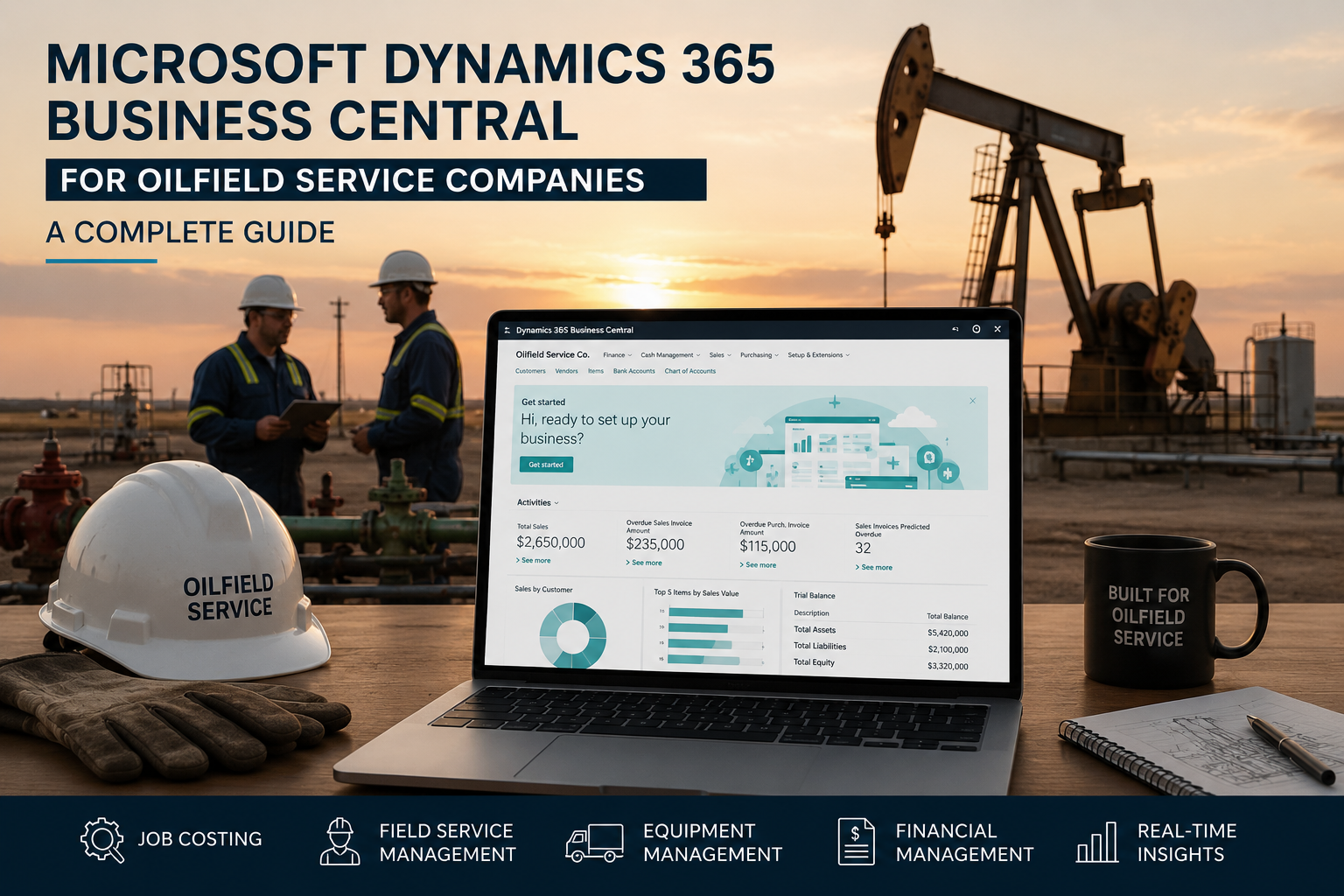
Microsoft Dynamics 365 Business Central for Oilfield Service Companies: A Complete Guide

If you are evaluating ERP software for your oilfield service company, Microsoft Dynamics 365 Business Central oilfield solutions are likely already on your radar. It is one of the most widely adopted mid-market ERP platforms in the world, backed by Microsoft’s infrastructure, regularly updated, and built to scale alongside growing businesses.

But for oilfield service companies specifically, the question is not just whether Business Central is a good ERP. The question is whether it can handle the operational complexity that makes oilfield service different from every other industry it serves.

The answer is yes, but with an important condition. Business Central on its own is a powerful platform. Business Central configured with ofsERP®, CBSi’s purpose-built oilfield extension, is a system that was designed specifically for how oilfield service companies operate.

This guide covers what Business Central actually does, where it fits for oilfield service, what ofsERP® adds to the platform, and what to expect from implementation.

What Is Microsoft Dynamics 365 Business Central?

Microsoft Dynamics 365 Business Central is a cloud-first ERP platform built for small to mid-sized businesses. It handles financials, operations, sales, purchasing, inventory, and reporting within a single connected environment, all running on Microsoft’s Azure cloud infrastructure.

Business Central is the successor to Microsoft Dynamics NAV, one of the most widely implemented ERP platforms in history. Companies that have been running NAV for years are increasingly migrating to Business Central as Microsoft continues investing in the cloud-first platform and winding down legacy support for older NAV versions.

As a cloud platform, Business Central receives automatic updates twice a year from Microsoft, which means the system continuously improves without requiring internal IT resources to plan and execute upgrades. Security, infrastructure, and platform maintenance are handled at the Microsoft level, freeing your team to focus on running the business rather than managing the software environment.

For a broader look at what Business Central offers and how it compares to other options, the Business Central features overview on the CBSi site covers the platform’s core capabilities in detail.

Why Business Central Alone Is Not Enough for Oilfield Service

Business Central is an exceptional platform for a wide range of industries. Out of the box, it handles general financial management, basic inventory, purchasing, sales orders, and standard reporting with a high degree of capability and reliability.

What it does not do out of the box is handle the workflows that are specific to oilfield service operations.

Field ticket management, equipment asset tracking across job sites, oilfield rental order management, cradle-to-grave equipment history, and job costing tied to field crew activity are not native Business Central capabilities. They require either heavy customization of the base platform, which introduces risk and maintenance burden, or an industry-specific extension built to handle those workflows without modifying the core system.

This is precisely the problem ofsERP® was designed to solve.

What Microsoft Dynamics 365 Business Central Oilfield Adds for Oilfield Service?

ofsERP® is a Microsoft AppSource-certified extension suite built natively on Business Central. It adds oilfield-specific functionality to the platform without modifying the underlying Business Central code, which means your system continues receiving Microsoft updates without interruption and without the risk of customizations breaking when new versions are released.

Oilfield Order Types Within a Single System

One of the most operationally significant things ofsERP® adds to Business Central is a structured approach to oilfield order types. Rather than using Business Central’s native Service Management module, which was built for a different use case and requires a Premium license, ofsERP® uses Business Central’s existing Sales Order tables with distinct order types for Sale, Service, Rental, and Repair orders.

That structure means every line of your oilfield business runs through the same system. A customer who receives rental equipment, has it serviced in the field, gets a repair done at your facility, and eventually purchases a piece of equipment has every transaction connected in one place, under one customer record, visible to your billing team without switching between systems or reconciling data manually.

Paperless Field Ticketing Connected to Billing

Field crews capture time, materials, equipment usage, photos, and customer signatures digitally at the job site. That data flows directly into the billing workflow within Business Central without manual re-entry, eliminating the transcription errors and billing delays that paper-based ticketing systems introduce.

The connection between paperless field ticketing and billing accuracy is one of the most immediate operational improvements oilfield companies notice after implementing ofsERP®. Invoices go out faster, disputes happen less often, and the billing cycle tightens in ways that directly improve cash flow.

Equipment Asset Management Across the Full Fleet

ofsERP® tracks every piece of equipment in your fleet from acquisition through retirement, maintaining a complete record of deployment history, maintenance logs, repair records, inspection documentation, and utilization data within a single asset record in Business Central.

For oilfield service companies managing large fleets across multiple job sites, that visibility changes how fleet decisions are made. Scheduling is based on real availability data rather than phone calls. Maintenance is preventive rather than reactive. Utilization is measured rather than estimated. The full operational and financial picture of your oilfield equipment asset management is always current and always accessible.

Job Costing That Reflects Real Field Activity

ofsERP® connects labor, materials, equipment usage, and overhead to individual jobs in real time, giving your team accurate cost visibility throughout the life of each project. That real-time job costing is one of the most important capabilities for oilfield companies trying to protect margin as job volume and complexity increase.

When job costs are visible as they accumulate rather than at month end, margin erosion is easier to catch and address before the opportunity to do so has passed.

AI-Powered Inventory Management

Because ofsERP® runs on Business Central, your inventory management benefits from Microsoft’s AI capabilities built into the platform. Demand forecasting, automated reorder recommendations, anomaly detection, and real-time visibility across multiple locations are all available within the same environment as your field operations and financials.

For a detailed look at how AI is changing inventory management for oilfield service companies, the AI in inventory management article covers these capabilities in depth.

Microsoft Copilot Built Into the Platform

Business Central includes Microsoft Copilot, an AI assistant that allows your team to interact with operational and financial data in plain language. Rather than navigating reports manually, your team can ask questions and receive immediate, data-driven answers drawn from your live Business Central data.

The Microsoft Copilot in Business Central overview explains how these AI capabilities work within the platform and where they deliver the most practical value for oilfield service operations.

Who Business Central With ofsERP® Is Built For

ofsERP® currently supports oilfield service companies with 5 to 400 users. The platform is designed to scale alongside your business without requiring a system change as you grow.

It is a particularly strong fit for companies that are currently running on QuickBooks, outdated legacy ERP systems, or a patchwork of disconnected tools and are starting to feel the operational constraints that come with outgrowing those solutions. It is also the right choice for companies already running on older versions of Microsoft Dynamics NAV who are evaluating a migration to Business Central and want to add oilfield-specific functionality in the process.

Cloud or On-Premise: Your Choice

Business Central is a cloud-first platform, and for most oilfield service companies the cloud deployment model delivers the best combination of accessibility, reliability, and total cost of ownership. Field crews can submit tickets from any location. Management can access reporting from any device. The infrastructure is maintained by Microsoft rather than your internal IT team.

For companies with specific data sovereignty requirements or operational constraints that make cloud deployment complicated, CBSi also offers Azure-hosted deployment options that provide cloud-level performance and security within a more controlled environment. The cloud ERP vs on-premise ERP comparison covers the trade-offs between these options in detail so you can make the right choice for your specific situation.

What Implementation Looks Like With CBSi

Choosing the right platform is only part of the decision. The implementation partner guiding the process determines whether the platform actually delivers on its promise.

CBSi brings over 17 years of oilfield ERP implementation experience and more than 30 years of combined expertise in Microsoft Dynamics NAV and Business Central. That depth of industry knowledge means every implementation decision, from data migration to workflow configuration to user training, is informed by real experience with how oilfield service companies operate.

CBSi’s ERP implementation approach starts with a thorough assessment of your current system, your data, and your operational workflows before any configuration work begins. That upfront clarity reduces the risk of surprises during implementation and ensures the system is built around how your business actually runs, not around a generic template that has to be adapted after go-live.

For companies that have experienced ERP implementation problems in the past, the ERP implementation mistakes article covers the most common failure points and how CBSi’s approach avoids them.

Why Business Central With ofsERP® Is the Right Platform for Oilfield Service

The combination of Microsoft’s platform reliability and ofsERP®’s oilfield-specific functionality creates something that neither delivers independently: an ERP that is both enterprise-grade and purpose-built for the way oilfield service companies actually operate.

You get the security, scalability, and continuous improvement of a Microsoft platform alongside field ticketing, equipment asset management, oilfield order types, and job costing workflows that were designed for your industry from the ground up.

For oilfield service companies that have been making do with systems that were never built for their operation, that combination is the difference between software that supports the business and software that holds it back.

Learn more about why oilfield companies choose CBSi and explore the ofsERP® FAQ for detailed answers to the most common questions about how the platform handles oilfield-specific workflows and requirements.

Ready to Take Your Oilfield Business to the Next Level?

The key is to start with what matters most to your business today, apply it consistently, and build from there. If you are ready to take your oilfield business to the next level, call 800-455-5915 or schedule a call!
Paperless Field Ticketing Oilfield: Reduce Billing Errors

For most oilfield service companies, the billing process does not break down in accounting. It often starts much earlier, when a field ticket is created on a job site and begins its slow, error-prone journey back to the office. Paperless field ticketing oilfield workflows help capture accurate job data at the source, reducing the risk of missing information, manual entry mistakes, and billing delays.

Paper tickets get lost, damaged, or filled out incompletely. Photos of handwritten tickets arrive illegible. Information gets re-entered manually by someone who was not on the job. By the time an invoice is generated, the data has passed through enough hands that discrepancies are almost inevitable.

The result is a billing cycle that moves slower than your operation, generates disputes that delay payment, and requires more back-office effort than it should. For oilfield service companies running high job volumes, those inefficiencies compound quickly.

Paperless field ticketing, built into ofsERP® on Microsoft Dynamics 365 Business Central, addresses the problem at the source rather than trying to manage the fallout downstream.

Why Paper Field Tickets Create Billing Problems

The field ticket is the foundation of every oilfield service invoice. Everything that gets billed traces back to what was captured at the job site. When that capture process is paper-based, the risk of error enters the billing cycle from the very beginning.

Incomplete or Illegible Information

Handwritten field tickets are only as accurate as the conditions they are filled out in. A crew finishing a job at the end of a long day, in low light, on an uneven surface, is not in the best position to produce a clean, complete, legible ticket. Missing service codes, unclear quantities, and illegible handwriting are not exceptions in paper-based ticketing systems. They are expected occurrences that someone in the office has to chase down and correct before billing can proceed.

Every ticket that requires follow-up adds time to the billing cycle. In a high-volume operation, the cumulative delay is significant.

Manual Re-Entry Introduces New Errors

Even a perfectly filled out paper ticket introduces risk the moment it has to be re-entered into an accounting or billing system. Manual data entry is inherently error-prone. A transposed number, a wrong service code, or a quantity entered against the wrong job can all produce an invoice that does not match what actually happened in the field.

Those mismatches do not just cause internal reconciliation work. They cause customer disputes that delay payment and require additional effort to resolve on both sides.

No Real-Time Visibility Into Job Status

With paper-based ticketing, the office has no visibility into what is happening in the field until the ticket physically arrives. There is no way to know whether a job has been completed, whether all required information has been captured, or whether a ticket is sitting in a truck waiting to be dropped off.

That visibility gap means billing cannot begin until the ticket arrives, which adds days to the cycle before any invoice work has started.

Lost and Delayed Tickets

Paper tickets get lost. They get left in trucks, misplaced during handoff, or damaged before they reach the office. When a ticket cannot be located, the entire billing process for that job stalls while someone attempts to reconstruct what happened from memory or secondary records.

In an operation running dozens or hundreds of jobs per week, even a small percentage of lost or delayed tickets represents a meaningful amount of unbilled work sitting in limbo at any given time.

How Paperless Field Ticketing Oilfield Works in ofsERP®

ofsERP® replaces the paper ticket process with a fully digital workflow that connects field data capture directly to billing, without manual re-entry or physical handoff.

Field Crews Capture Everything Digitally at the Job Site

Using a mobile device, field crews enter time, materials, equipment usage, and service details directly into the system at the job site. Required fields enforce completeness before a ticket can be submitted, which means incomplete tickets cannot enter the billing pipeline in the first place.

Crews can also attach photos, capture customer signatures electronically, and add job notes directly to the digital ticket. Everything needed to generate an accurate invoice is captured at the source, by the people who were actually on the job.

Data Flows Directly Into Billing Without Re-Entry

Once a field ticket is submitted, the data moves directly into the billing workflow within ofsERP®. There is no manual re-entry step, no transfer between systems, and no opportunity for transcription errors to enter the process.

Because ofsERP® runs on Microsoft Dynamics 365 Business Central, field data and financial data share the same environment. The information captured on a job site is immediately available to the billing team without any intermediate steps.

Real-Time Visibility for Office and Management

As soon as a field ticket is submitted, the office can see it. Management has real-time visibility into job completion status, outstanding tickets, and billing pipeline without waiting for physical paperwork to arrive.

That visibility allows billing to begin as soon as a job is complete rather than after the ticket makes its way back to the office. For oilfield service companies trying to improve cash flow, that compression of the billing cycle has a direct and immediate impact on receivables.

Electronic Signatures and Photo Documentation

Customer signatures captured electronically at the job site are legally valid and immediately attached to the ticket record. There is no need to chase down a signature after the fact or dispute whether a customer approved the work.

Photo documentation attached to digital tickets provides additional support for invoices, reducing the back-and-forth that often accompanies billing disputes over what was actually done on a job.

The Billing Impact of Going Paperless

The connection between paperless field ticketing and billing performance is direct and measurable.

When tickets are complete and accurate at the point of capture, invoices can be generated faster and with greater confidence. When data flows automatically from field to billing without manual re-entry, the risk of transcription errors disappears. When customers receive invoices that accurately reflect what happened on the job, disputes happen less often and payment follows more predictably.

For a detailed look at how billing efficiency improvements translate into measurable cash flow gains, the proof and formulas behind billing efficiency break down exactly how those numbers work in an oilfield service context.

The broader cost reduction impact of reducing manual processing, rework, and dispute resolution is also significant. Administrative time that was previously spent tracking down missing tickets, correcting data entry errors, and resolving billing discrepancies gets redirected toward work that actually moves the business forward.

Why the Platform Underneath Matters

Paperless field ticketing is only as effective as the system it feeds into. A digital ticket that still requires manual transfer into a separate billing or accounting system has solved the legibility problem but not the re-entry problem.

ofsERP® addresses both because field ticketing and billing run within the same Business Central environment. The data does not move between systems. It moves between modules of the same system, which means accuracy is maintained end to end without any additional integration layer to manage or maintain.

CBSi brings over 17 years of oilfield ERP implementation experience and more than 30 years of combined expertise in Microsoft Dynamics NAV and Business Central. That depth of knowledge means the ticketing and billing workflows are configured around how oilfield service companies actually operate, not around a generic service management template. You can learn more about why oilfield companies choose CBSi and explore the full range of services CBSi provides, from implementation and training to data migration and ongoing support.

If you have specific questions about how ofsERP® handles field ticketing, the ofsERP® FAQ covers the platform’s oilfield-specific capabilities in detail.

Paperless Ticketing Is Where Billing Accuracy Starts

You cannot fix billing errors downstream if the problem starts upstream at the ticket. The most efficient invoicing process in the world cannot compensate for incomplete, illegible, or manually re-entered field data that was inaccurate before it ever reached accounting.

Paperless field ticketing with ofsERP® fixes the problem at the source, so the data that reaches billing is complete, accurate, and ready to invoice without additional handling. That shift alone can meaningfully reduce billing cycle time, lower dispute rates, and improve cash flow across the operation.

Ready to Take Your Oilfield Business to the Next Level?

The key is to start with what matters most to your business today, apply it consistently, and build from there. If you are ready to take your oilfield business to the next level, call 800-455-5915 or schedule a call!

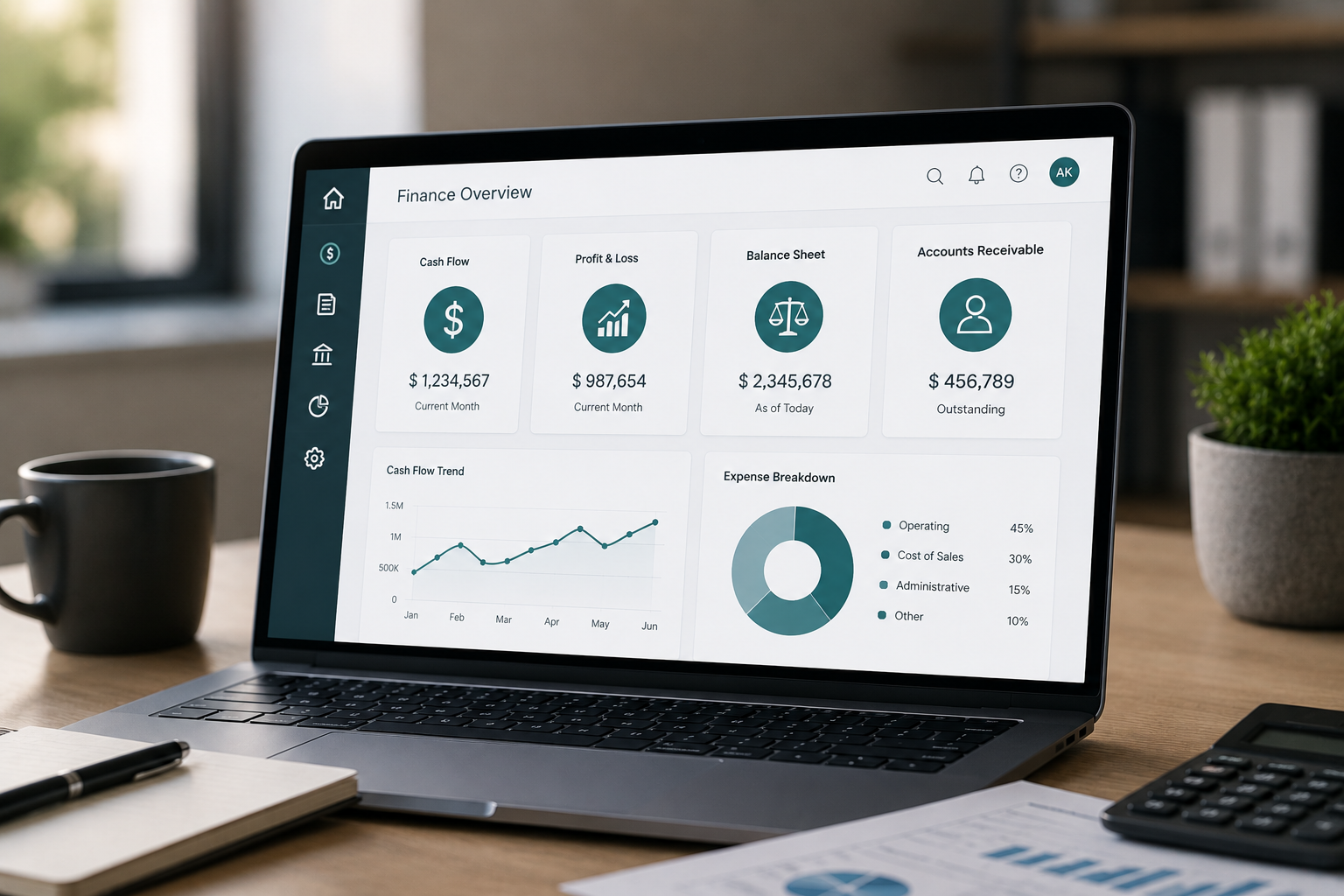
Business Central Finance Features

If you’re evaluating an ERP system, finance is usually where the conversation starts.

And for good reason.

Financial management affects nearly every part of your business—from cash flow and reporting to budgeting, purchasing, compliance, and long-term planning. It influences how quickly decisions can be made, how accurately performance can be measured, and how effectively resources can be allocated.

When financial processes are disconnected or heavily manual, the impact is rarely isolated to the accounting department. It often affects operations, management visibility, and the business’s ability to respond to change.

That’s where the finance capabilities within Business Central Finance Features, built into Microsoft Dynamics 365 Business Central, begin to make a meaningful difference.

Rather than relying on separate tools, spreadsheets, or workarounds to manage financial activity, Business Central brings core financial functions into a single system, helping improve visibility, reduce inefficiencies, and support better financial control.

At CBSi, we often work with businesses that have reached a point where financial complexity begins to outgrow the systems they have in place. That is often where the value of a more connected financial platform becomes much easier to recognize.

What Business Central Finance Features Are Designed to Support

At a practical level, Business Central finance features are designed to support the financial processes businesses rely on every day—not just from an accounting perspective, but from an operational and strategic one as well.

This includes managing transactions, maintaining financial records, supporting reporting, improving forecasting, and creating better visibility into financial performance.

When people refer to finance functionality within Business Central, they often focus on features such as general ledger, payables, receivables, and reporting.

Those features matter, but their real value is not simply in their availability.

It is in how they operate together.

For example, when transactions flow through a connected system, reporting becomes more accurate. When payables and receivables are managed within the same environment as cash flow and forecasting, financial planning becomes more informed.

At CBSi, we often describe this as moving beyond transactional accounting and toward a more connected financial management model.

That shift can improve both efficiency and decision-making.

Where Financial Gaps Start to Appear

Most businesses do not begin with a fully integrated finance platform.

Many start with accounting software, spreadsheets, and manual processes that work well for a time.

But as operations grow, those systems often begin to show limitations.

The gaps usually do not appear all at once.

They develop gradually, often in ways that are easy to overlook until they begin affecting performance.

Manual Financial Processes

Tasks such as reconciliations, approvals, and report preparation often still involve significant manual effort.

At lower volumes, these tasks may feel manageable.

But as transaction activity increases, those same processes begin taking more time and requiring more attention.

Over time, they can create delays and increase the likelihood of inconsistencies.

At CBSi, we have seen businesses where finance teams were spending far too much time maintaining processes that should have been supporting the business, not slowing it down.

Delays in Financial Visibility

Timely access to financial information is critical.

But when reports require pulling data from multiple sources, validating information manually, or reconciling figures before review, visibility is delayed.

And when visibility is delayed, decision-making often is as well.

That can affect everything from spending decisions to operational planning.

Disconnected Financial Data

When financial data exists across multiple systems, maintaining consistency becomes more difficult.

Teams may need to reconcile the same information repeatedly or rely on workarounds to keep systems aligned.

That increases effort and often reduces confidence in the information being used.

How Business Central Strengthens Financial Management

This is where Business Central finance features begin to stand out.

Rather than treating each financial process as separate, the system connects them.

Transactions, purchasing, reporting, and cash flow all operate within the same environment, reducing the need for duplicate effort and manual coordination.

That means when activity happens in one area, it can be reflected across the system automatically.

This helps improve consistency while reducing delays caused by disconnected processes.

At CBSi, this is often one of the biggest changes businesses notice early on.

The system does not simply centralize financial data.

It improves how that data supports the business.

That distinction matters.

Because stronger financial management is not just about keeping accurate records. It is about improving how information moves through the organization.

Core Finance Features That Support Daily Operations

The financial capabilities in Business Central are designed to support both daily execution and longer-term planning.

That is important because strong financial systems need to support more than transactions alone.

They need to support decision-making.

Some of the most widely used capabilities include:

  • General ledger functionality to support financial accuracy, structure, and reporting
  • Accounts payable and receivable tools to manage vendor and customer transactions more efficiently
  • Cash flow management for greater visibility into incoming and outgoing funds
  • Budgeting and forecasting tools that support planning and financial control
  • Financial reporting and analytics for real-time insight into business performance

Each of these capabilities provides value individually.

But much of their real impact comes from operating together.

That is where efficiency is often gained.

And at CBSi, we often see businesses begin recognizing that value once they move beyond using these tools as isolated features and begin using them as part of a connected process.

A Scenario That Reflects Real Financial Operations

Let’s say your business is preparing for month-end close.

In a traditional process, your team may be gathering information from multiple systems, reconciling balances manually, validating transactions, and then preparing reports.

That can take days.

And in many cases, it involves significant effort just to prepare information for review.

Now consider the same process within Business Central.

Financial data is already centralized.

Transactions are reflected in real time.

Reports can be generated within the system, reducing reliance on external spreadsheets and reducing repeated reconciliation.

Your team still reviews and validates the results.

But the time spent gathering, organizing, and preparing the information is significantly reduced.

At CBSi, this is one of the most common improvements businesses recognize early.

Month-end processes become more manageable.

Reporting becomes more timely.

And financial visibility improves.

Measuring the Operational Impact

One of the most practical ways to evaluate finance features is by looking at efficiency.

If your team can reduce the time spent on reporting, reconciliations, or manual processing, those gains can add up quickly.

Even modest reductions in administrative effort can create meaningful operational improvements over time.

Across a year, those improvements can translate into:

  • Faster reporting cycles
  • Improved internal controls
  • Better use of finance resources

And often, better decision-making as a result of having more timely information.

At CBSi, we often find that the operational impact is not just in time saved.

It is in how that time gets redirected toward higher-value work.

A Simple Way to Evaluate Financial ERP Capabilities

When considering broader erp capabilities, finance is often where value becomes most measurable.

A strong financial ERP system should help you:

  • Access accurate financial information when you need it
  • Reduce manual effort across accounting and reporting
  • Improve planning through stronger visibility and forecasting

If those outcomes are improving, the system is delivering value.

And those outcomes tend to affect far more than finance alone.

They often support stronger performance across the business.

The Role of Automation and AI in Financial Management

Finance systems continue to evolve.

And increasingly, automation and AI are becoming part of that evolution.

With tools like Microsoft Copilot and AI-assisted capabilities, businesses can improve how financial data is interpreted and used.

This can support:

  • Faster access to financial insights
  • Reduced time spent on repetitive processes
  • Improved support for forecasting and analysis

At CBSi, we see these tools as strengthening financial processes, not replacing them.

They help improve efficiency while supporting better decisions.

Getting More Value from Business Central Finance Features

If your business is already using Microsoft Dynamics 365 Business Central, improving finance performance is often less about adding more tools and more about using the system more effectively.

That may involve improving how features are used, aligning them more closely with your workflows, or identifying opportunities to reduce friction in financial processes.

At CBSi, this is often where we help businesses focus.

Making sure the system supports how financial operations actually work—not just how the software was designed in theory.

Improving How Finance Supports Your Business

At a certain point, finance systems should do more than maintain records.

They should support how your business plans, operates, and grows.

If your team is spending too much time on manual processes, delayed reporting, or managing disconnected financial data, those are clear indicators that there may be a better way to support those functions.

Business Central finance features provide a practical way to improve efficiency, strengthen visibility, and bring more control into your financial operations.

And at CBSi, helping businesses make those improvements is a big part of how we support long-term operational performance.

As those improvements begin to take effect, the impact becomes clear—not just in finance, but across the business as a whole.

Business Central Supply Chain Features

If you’re evaluating an ERP system, supply chain functionality is often one of the areas where efficiency gains can be felt the fastest.

And for good reason.

Supply chain performance affects purchasing, inventory, fulfillment, vendor relationships, and ultimately customer satisfaction. When those processes are disconnected or heavily manual, the impact is rarely limited to one department. It can affect lead times, operating costs, visibility, and your ability to respond to demand.

That’s where the capabilities within Business Central Supply Chain Features, built into Microsoft Dynamics 365 Business Central, begin to make a meaningful difference.

Rather than managing supply chain activity across multiple systems or spreadsheets, Business Central brings core processes into a connected environment, helping improve visibility, reduce friction, and support better operational control.

At CBSi, we often work with businesses that have reached a point where supply chain complexity begins to outgrow their current processes. That is often where the value of a more integrated system becomes much clearer.

What Business Central Supply Chain Features Are Designed to Support

At a practical level, Business Central supply chain features are designed to support the operational processes businesses rely on to manage purchasing, inventory, vendor activity, and product movement.

This includes day-to-day execution, but it also supports planning, forecasting, and overall supply chain coordination.

When people talk about supply chain functionality in Business Central, they often focus on areas such as inventory management, purchasing, order management, and demand planning.

Those capabilities are important.

But the real value is not simply in having those features available.

It is in how they operate together.

For example, when purchasing activity is connected to inventory availability, replenishment decisions can improve. When demand planning is connected to order and fulfillment activity, operational responsiveness improves.

At CBSi, we often describe this as moving from managing supply chain transactions to managing supply chain performance.

That shift can have a measurable impact on both efficiency and visibility.

Where Supply Chain Gaps Start to Appear

Most businesses do not begin with a fully integrated supply chain system.

Many rely on purchasing tools, spreadsheets, manual inventory tracking, and processes that work well early on.

But as operations grow, those processes often begin to show limitations.

And those gaps usually appear gradually.

Manual Supply Chain Processes

Tasks such as purchase order management, inventory updates, and vendor coordination often still involve manual effort.

At lower volumes, those processes may feel manageable.

But as transaction activity increases, they begin taking more time and introducing more opportunities for errors or delays.

At CBSi, we have seen businesses spend significant effort maintaining supply chain processes that could be streamlined through stronger system integration.

Limited Visibility Across Inventory and Demand

Visibility is critical in supply chain management.

But when inventory levels, demand signals, and purchasing activity are not aligned, businesses often struggle to make timely decisions.

This can lead to overstocking, stockouts, or delayed fulfillment.

And all of those issues can affect both costs and customer service.

Disconnected Supply Chain Data

When purchasing, inventory, and fulfillment data live across multiple systems, consistency becomes harder to maintain.

Teams may spend time reconciling information or relying on workarounds to keep processes aligned.

That increases workload and often reduces confidence in the data being used.

How Business Central Strengthens Supply Chain Management

This is where Business Central supply chain features begin to stand out.

Rather than treating each supply chain function separately, the system connects them.

Purchasing, inventory, planning, and order fulfillment operate within the same environment, reducing the need for duplicate entry and manual coordination.

That means activity in one area can be reflected across the system automatically.

Changes in inventory can affect purchasing decisions.

Demand signals can support planning.

Order activity can improve visibility into fulfillment.

At CBSi, this is often where businesses begin seeing the difference.

The system does not simply centralize supply chain data.

It improves how that data supports operational decisions.

And that is where much of the value comes from.

Core Supply Chain Features That Support Daily Operations

The supply chain capabilities in Business Central are designed to support both day-to-day execution and broader operational planning.

Some of the most widely used capabilities include:

  • Inventory management to improve visibility into stock levels and movement
  • Purchasing functionality to support procurement and vendor management
  • Demand planning tools to support forecasting and replenishment decisions
  • Order management features to improve fulfillment coordination
  • Reporting and analytics to provide insight into supply chain performance

Each of these capabilities provides value on its own.

But much of their impact comes from operating together as part of a connected system.

At CBSi, we often see businesses begin recognizing that value once they start using these tools as part of a broader process rather than isolated functions.

A Scenario That Reflects Real Supply Chain Operations

Let’s say your business is managing increasing order volume while trying to maintain inventory availability.

In a traditional process, your team may be reviewing inventory manually, coordinating purchasing through separate tools, and using spreadsheets to manage replenishment.

That can work for a time.

But as activity increases, delays and inconsistencies can begin to appear.

Now consider the same process within Business Central.

Inventory levels are visible in real time.

Purchasing activity is connected to availability.

Demand signals can support replenishment decisions.

And reporting can help identify trends that affect planning.

Your team still manages decisions.

But the time spent gathering and reconciling information is reduced.

At CBSi, this is one of the improvements businesses often notice early—better visibility and more confidence in supply chain decisions.

Measuring the Operational Impact

One of the most practical ways to evaluate supply chain features is by looking at efficiency.

If your team can reduce the time spent on manual inventory management, purchasing coordination, or supply planning, those gains add up quickly.

Even modest improvements can create meaningful operational impact over time.

Across a year, those improvements can translate into:

  • Better inventory control
  • Faster purchasing and replenishment decisions
  • Improved use of operational resources

And often, stronger customer service as a result of more reliable fulfillment.

At CBSi, we often find that the impact is not simply in time saved.

It is in how those improvements support stronger operational performance.

A Simple Way to Evaluate Supply Chain ERP Capabilities

When considering broader erp capabilities, supply chain functionality is often where value becomes highly measurable.

A strong ERP system should help you:

  • Improve visibility across inventory and purchasing
  • Reduce manual effort in supply chain processes
  • Support planning and responsiveness as operations grow

If those outcomes are improving, the system is delivering value.

And those outcomes often affect much more than supply chain alone.

They can influence performance across the business.

The Role of Automation and AI in Supply Chain Management

Supply chain systems continue to evolve.

And increasingly, automation and AI are becoming part of that evolution.

With tools like Microsoft Copilot and AI-assisted capabilities, businesses can improve how supply chain data is interpreted and used.

This can support:

  • Faster access to operational insights
  • Reduced time spent on repetitive processes
  • Improved support for forecasting and planning

At CBSi, we see these tools as strengthening supply chain performance, not replacing strong processes.

They help improve efficiency while supporting better decisions.

Getting More Value from Business Central Supply Chain Features

If your business is already using Microsoft Dynamics 365 Business Central, improving supply chain performance is often less about adding more tools and more about using the system more effectively.

That may involve improving how features are used, aligning them more closely with your workflows, or identifying opportunities to reduce friction in supply chain processes.

At CBSi, this is often where we help businesses focus.

Making sure the system supports how supply chain operations actually work—not just how software was designed in theory.

Improving How Supply Chain Supports Your Business

At a certain point, supply chain systems should do more than support transactions.

They should support how your business responds, plans, and grows.

If your team is spending too much time on manual processes, limited visibility, or managing disconnected supply chain data, those are clear indicators that there may be a better way to support those functions.

Business Central supply chain features provide a practical way to improve efficiency, strengthen visibility, and bring more control into your supply chain operations.

And at CBSi, helping businesses make those improvements is a big part of how we support long-term operational performance.

As those improvements begin to take effect, the impact becomes clear—not just in supply chain, but across the business as a whole.

How AI is Transforming ERP Systems

If you’re running a business today, your ERP system likely sits at the center of your operations, supporting everything from financial management and reporting to inventory, purchasing, and day-to-day workflows. For many businesses, the ERP has traditionally served as the system that records transactions, organizes information, and creates structure across departments. But as operations grow and business demands increase, expectations around what an ERP system should do have changed significantly.

It is no longer enough for an ERP platform to simply store and organize information. Businesses increasingly need systems that help them interpret data faster, support better decisions, and reduce the manual effort required to keep operations moving efficiently. That is where AI is transforming ERP systems in a practical and measurable way.

Rather than functioning only as systems of record, ERP platforms are becoming systems that actively support how businesses analyze information, automate processes, and respond more effectively to changing conditions. At CBSi, we have seen this shift firsthand. Businesses are not looking at AI simply as a technology trend. They are looking at how it can improve how their ERP system supports real operational needs.

What It Means When AI Transforms ERP Systems

At a practical level, AI transforming ERP systems means artificial intelligence is becoming integrated into the way ERP platforms function at the process level. Instead of operating as a separate tool layered on top of the ERP, AI is being embedded within the system to improve how data is processed, how repetitive tasks are handled, and how insights are surfaced to users.

In platforms such as Microsoft Dynamics 365 Business Central, this can include automation, AI-assisted analysis, forecasting support, and tools that reduce reliance on manual effort. These capabilities do not replace the ERP system. They expand what the system can contribute.

At CBSi, we often describe this as a shift from using ERP systems to manage transactions to using ERP systems to support performance. That distinction matters because the transformation is not simply about adding AI features. It is about improving how the ERP helps the business operate, plan, and respond.

Where Traditional ERP Systems Begin to Show Limitations

Most ERP systems are effective at centralizing data and supporting operational structure. However, as businesses grow, certain limitations often become more noticeable. Those limitations tend to emerge in areas where speed, visibility, and flexibility become increasingly important.

One of the most common challenges is continued reliance on manual processes. Even with an ERP in place, teams often spend considerable time entering data, preparing reports, validating information, and managing repetitive workflows. At lower volumes, those processes may seem manageable. But as activity increases, they often begin consuming more time and requiring more resources than expected.

Another common limitation is the gap between data availability and decision-making. ERP systems may contain the information businesses need, but accessing and interpreting that information can still require multiple steps. Users may need to generate reports, review outputs, and manually identify patterns before decisions can be made. That delay can affect responsiveness and reduce the value of timely information.

Traditional ERP systems may also offer limited predictive support. While they are often effective at showing what has happened and what is happening now, they may provide less support in identifying trends early or helping businesses anticipate what may happen next. That can make planning more reactive than proactive.

How AI Changes the Role of ERP Systems

This is where AI begins to change the role of the ERP system itself. Instead of supporting only transaction processing and recordkeeping, the system becomes more active in supporting analysis, automation, and decision-making.

With AI integrated into ERP platforms, businesses can reduce manual effort, access insights more quickly, improve consistency across workflows, and identify trends or risks earlier than they might through traditional methods alone. Those improvements may seem incremental individually, but together they can significantly improve how the system supports the business.

At CBSi, we see this not as replacing ERP systems, but as improving what those systems can do. In many cases, businesses begin using their ERP platform in ways they previously could not, simply because the system is able to support more than transactional management.

Practical Ways AI Is Already Transforming ERP Systems

AI in ERP is already affecting how businesses manage daily operations in very practical ways. One of the clearest examples is automation of repetitive tasks that previously required manual input. Tasks such as data processing, approvals, or report preparation can often be streamlined, reducing administrative effort while improving consistency.

AI is also improving how businesses generate and use insights. Instead of relying solely on traditional reporting processes, businesses can use AI-assisted tools to surface trends, identify anomalies, and support forecasting using both historical and current data.

At CBSi, we often see businesses recognize the value of AI not through one major change, but through a series of smaller improvements that begin reducing friction across operations. Those improvements often build over time into much larger operational gains.

A Scenario That Reflects Real Business Operations

Consider a business reviewing financial and operational performance at the end of a reporting period. In a traditional environment, this may involve gathering data from multiple areas, organizing reports, validating figures, and manually identifying trends. That process can take considerable time and often delays the point at which decisions can actually be made.

Now consider the same process with AI integrated into the ERP system. The system can help generate summaries, surface trends, and identify areas that may require attention. The team still reviews and validates the information, but far less time is spent preparing it.

That changes how the process functions. Instead of spending the majority of effort collecting information, more time can be spent analyzing it and acting on it. At CBSi, this is one of the most common areas where businesses begin seeing the practical impact of AI in ERP systems.

Measuring the Operational Impact

One of the most practical ways to evaluate how AI is transforming ERP systems is by looking at efficiency gains over time. If a business can reduce the time spent on repetitive tasks, reporting, or data preparation, those gains can add up quickly.

Even modest improvements can create meaningful operational impact. Faster reporting cycles, improved use of internal resources, and greater responsiveness to changing conditions often begin as incremental improvements that compound over time.

At CBSi, we often find that the impact is not simply in time saved. It is in how those gains improve broader performance by allowing teams to focus more attention on higher-value work.

Improving How Your ERP Supports Your Business

At a certain point, ERP systems should do more than manage transactions. They should help the business operate more efficiently, respond more quickly, and plan more effectively.

If your team is spending too much time on manual processes, delayed reporting, or managing disconnected workflows, those are often indicators that there may be opportunities to improve how your ERP system supports the business.

AI is transforming ERP systems by helping address those challenges in practical ways. It strengthens how the system supports your operations without requiring you to replace the foundation you already have.

At CBSi, helping businesses make those improvements is a big part of how we support long-term operational performance. And as those improvements begin to take effect, the impact becomes clear—not just in the ERP system itself, but across the business as a whole.

Posted in AI

Benefits of AI in Business Operations

If you’re running a business today, improving efficiency is likely a constant priority. Whether the focus is reducing manual work, improving decision-making, or finding ways to support growth without continually adding overhead, most businesses are looking for ways to operate more effectively.

That is one reason AI is becoming part of more business conversations.

The discussion is no longer centered only on what artificial intelligence is. It is increasingly centered on what it can do in practical terms. Business owners want to understand how AI can help reduce friction in daily operations, improve how teams work, and support better outcomes across the organization.

That is where the real benefits of AI in business operations begin to take shape.

At CBSi, we often see businesses approach AI with understandable questions about whether it will add complexity or whether it will create measurable value. In many cases, the value becomes clearer when AI is viewed not as a separate initiative, but as a tool that strengthens processes already in place.

What AI Brings to Business Operations

At a practical level, AI helps businesses improve how information is processed, how repetitive work is handled, and how decisions are supported.

Rather than replacing people or changing how a business fundamentally operates, AI often improves how work flows through the organization. It can reduce time spent on manual tasks, surface insights more quickly, and help teams focus more attention on higher-value activities.

In environments supported by platforms such as Microsoft Dynamics 365 Business Central, these improvements can often be integrated into the systems businesses are already using. That is part of what makes AI more practical than many businesses initially expect.

At CBSi, we often describe the value of AI as helping businesses reduce effort while improving responsiveness. In many cases, that is where the benefits begin.

Improving Efficiency Through Reduced Manual Work

One of the most immediate benefits businesses often see from AI is improved efficiency.

Many day-to-day activities involve repetitive work. This may include entering data, preparing reports, processing routine requests, or managing tasks that follow consistent patterns.

While each task may seem minor on its own, collectively they can consume a significant amount of time.

AI can help reduce that burden by automating or assisting with many of those activities. That does not eliminate oversight or remove people from the process. It reduces the manual effort required to complete the work.

At CBSi, we have seen businesses realize that even modest reductions in repetitive work can create meaningful gains over time, particularly when those improvements apply across multiple roles or departments.

Improving Decision-Making with Better Access to Insights

Another major benefit of AI in business operations is improved access to information.

Many businesses already have access to large amounts of data. The challenge is often turning that data into insights quickly enough to support timely decisions.

AI can help address that challenge by analyzing data more efficiently, identifying patterns, and surfacing relevant information that might otherwise take longer to uncover.

That can support stronger decision-making, not because AI replaces judgment, but because it helps improve the quality and speed of the information supporting those decisions.

At CBSi, we often see this as one of the areas where businesses begin recognizing AI as more than an efficiency tool. It also becomes a tool that supports management and planning.

Supporting Better Consistency Across Processes

Consistency is often one of the less discussed but highly practical benefits of AI.

Manual processes can introduce variability. Tasks may be handled slightly differently depending on who is performing them or how much time is available.

That can affect accuracy, quality, and reliability.

AI can help improve consistency by supporting standardized processes, reducing the likelihood of certain errors, and helping ensure tasks are handled more uniformly.

Over time, that can contribute to stronger operational reliability.

At CBSi, we often see businesses recognize that improved consistency can be just as valuable as time savings, particularly in areas where errors or rework carry operational consequences.

A Scenario That Reflects Real Business Operations

Consider a business where teams are spending significant time preparing recurring operational reports.

In a traditional process, information may need to be gathered from multiple sources, organized manually, and reviewed before management can use it.

That process can be time-consuming and often delays decision-making.

Now consider the same process with AI supporting the workflow.

The system can help gather relevant information, structure summaries, and surface trends requiring attention. The team still reviews and validates the results, but far less effort is spent preparing the information.

That changes how the process functions.

Instead of spending most of the effort collecting data, more attention can be directed toward using the information to support decisions.

At CBSi, this is one of the most common ways businesses begin seeing the practical value of AI in operations.

Measuring the Operational Impact

One of the most practical ways to evaluate the benefits of AI in business operations is by looking at operational impact over time.

If a business reduces the time spent on repetitive tasks, improves access to insights, and strengthens process consistency, those gains often compound.

Even modest improvements can lead to:

  • Better use of internal resources
  • Faster response times
  • Improved operational efficiency

And often, those gains support broader business performance beyond the immediate process being improved.

At CBSi, we often find that the impact of AI is not limited to isolated improvements. It tends to influence how effectively teams operate more broadly.

The Role of AI Within Business Systems

Many businesses begin seeing even greater value when AI is integrated into the systems they already use.

For example, tools like Microsoft Copilot can help businesses improve how they interact with operational and business data, while platforms like Microsoft Dynamics 365 Business Central can provide the foundation for applying AI within broader workflows.

This matters because businesses often gain the most value from AI when it strengthens processes already tied to core operations.

At CBSi, we often help businesses look at AI in this context—not as a standalone tool, but as part of improving how systems support the business.

Supporting Growth Without Increasing Complexity

Another benefit businesses often overlook is the role AI can play in supporting growth.

As operations expand, complexity tends to increase.

More transactions, more data, and more activity often create pressure on processes that once worked well at a smaller scale.

AI can help support growth by improving how those processes scale.

That may mean helping teams handle increasing workload more efficiently, improving responsiveness as demands grow, or reducing the need to solve every growth challenge by simply adding more manual effort.

At CBSi, we often see businesses recognize this as one of the longer-term benefits of AI. It is not simply about improving today’s operations. It can also support how the business grows.

Improving How Your Business Operates

At a certain point, improving business performance is often less about adding more tools and more about improving how existing processes function.

If your team is spending too much time on repetitive tasks, struggling with delayed insights, or relying heavily on manual processes, those are often indicators that there may be opportunities to improve how operations are supported.

The benefits of AI in business operations often begin by addressing those challenges in practical ways.

It can help reduce effort, improve responsiveness, and support stronger decisions without requiring the business to change its foundation.

At CBSi, helping businesses identify and apply those kinds of improvements is a big part of how we support long-term operational performance.

And as those improvements begin to take effect, the impact often becomes clear—not just in productivity, but in how effectively the business operates as a whole.

The key is to start with what matters most to your business today, apply it consistently, and build from there. If you’re ready to start your oilfield business to the next level, call 800- 455-5915 or schedule a call!

Posted in AI

Business Central Features Overview

If you’re evaluating an ERP system, you’re likely trying to understand one thing—how it will actually support your business on a daily basis.

Most platforms offer similar capabilities on the surface. Financial management, reporting, operations—they’re all there. But what matters is how those features work together once your business starts scaling.

That’s where business central features, within Microsoft Dynamics 365 Business Central, start to stand out.

Instead of relying on separate tools and manual workarounds, Business Central brings your core processes into a single system, making it easier to manage operations without added complexity.

What Business Central Is Designed to Do

At its core, Business Central is built to centralize how your business operates.

It connects financials, sales, inventory, and operations into one system, allowing data to flow across departments without requiring constant updates or reconciliation.

When people refer to microsoft dynamics 365 features, this is what they’re pointing to—the ability to manage multiple areas of the business without relying on disconnected systems.

Where Businesses Start to Experience Gaps

Most businesses don’t immediately need an ERP system. But as operations grow, the limitations of disconnected tools become more noticeable.

You may start to see it in areas like reporting, inventory, and internal workflows.

Disconnected Data

Financial data may exist in one system, while operational data lives in another.

This creates delays when trying to get a complete view of performance.

Manual Workarounds

Teams often rely on spreadsheets or duplicate data entry to keep systems aligned.

Over time, this increases both workload and the risk of errors.

Limited Visibility

Without real-time data, decision-making becomes slower.

You may find yourself waiting on reports or verifying information before taking action.

How Business Central Connects Your Processes

This is where the structure of business central modules becomes important.

Rather than treating each function separately, Business Central connects them within a single environment.

When activity happens in one area—such as a sale or purchase—it is reflected across the system automatically.

This reduces manual updates and keeps your data consistent across departments.

Core Features That Support Daily Operations

The erp features list in Business Central is designed to support the key functions most businesses rely on.

These include:

  • Financial management, including general ledger, accounts payable and receivable, and cash flow tracking
  • Sales and customer management, covering quotes, orders, and customer activity
  • Purchasing and vendor management, improving how you handle procurement
  • Inventory management, providing real-time visibility into stock and movement
  • Project and job tracking, helping you monitor costs and performance
  • Reporting and analytics, giving you access to up-to-date business insights

Each of these features works within the same system, which removes the need to reconcile data across multiple platforms.

A Scenario That Reflects What Many Businesses Experience

Let’s say your business is growing steadily.

Order volume is increasing, your customer base is expanding, and your team is processing more transactions than before.

At first, your existing systems may keep up. But over time, gaps start to appear.

Inventory levels don’t always match. Reports take longer to complete. Teams begin relying on spreadsheets to track information outside the system.

Now compare that to running the same operation within Business Central.

Sales transactions update inventory automatically. Financial data reflects activity in real time. Reports can be generated without pulling information from multiple sources.

Instead of adding more steps to manage growth, the system supports it.

Proving the Operational Impact

When systems are disconnected, even simple tasks take longer than expected.

Generating reports, reconciling data, or tracking performance often requires multiple steps and manual validation.

With a unified system, those steps are reduced.

If your team saves even a few hours each week by eliminating manual processes, the impact adds up quickly.

Across a year, that can translate into hundreds of hours that can be redirected toward higher-value work.

A Simple Way to Look at ERP Capabilities

When evaluating erp capabilities, it helps to focus on outcomes rather than individual features.

A system should allow you to:

  • Access accurate, real-time information
  • Reduce manual work across your team
  • Keep operations aligned as your business grows

If those areas are addressed, the system is doing its job.

The Role of AI and Automation in Business Central

ERP systems are continuing to evolve beyond basic functionality.

With tools like Microsoft Copilot, Business Central is moving toward AI-supported workflows.

This allows businesses to:

  • Access insights faster
  • Reduce time spent on repetitive tasks
  • Improve how data is used in decision-making

AI enhances the system without changing how your business operates.

Extending Business Central for Specific Business Needs

Some businesses require additional functionality beyond standard ERP features.

In these cases, extensions such as ofsERP can be used to support more specialized workflows.

This allows you to maintain a single system while adapting it to your specific operational requirements.

Getting More Value from Business Central

The full value of business central features comes from how the system is used.

When properly implemented, Business Central can:

  • Reduce operational complexity
  • Improve data accuracy
  • Provide better visibility across your organization

It becomes less about managing systems and more about managing your business.

Start Consolidating Your Systems

At a certain point, managing multiple systems stops being efficient and starts slowing your business down.

If your team is spending time moving data between platforms, fixing inconsistencies, or waiting on reports, those are clear signs that your current setup is working harder than it should.

Business Central gives you the ability to bring those processes together into a single system—without adding unnecessary complexity.

The result is not just better organization, but better control over how your business operates.

And if you’re already considering ways to improve efficiency, reduce manual work, and get more reliable insights, this is typically where businesses begin to take the next step.

The key is to start with what matters most to your business today, apply it consistently, and build from there. If you’re ready to start your oilfield business to the next level, call 800- 455-5915 or schedule a call!

Our ERP Experts are Happy to Help

Assessment | Implementation/Migration | Support

Contact Form

This field is for validation purposes and should be left unchanged.
Name(Required)
Company Email Required