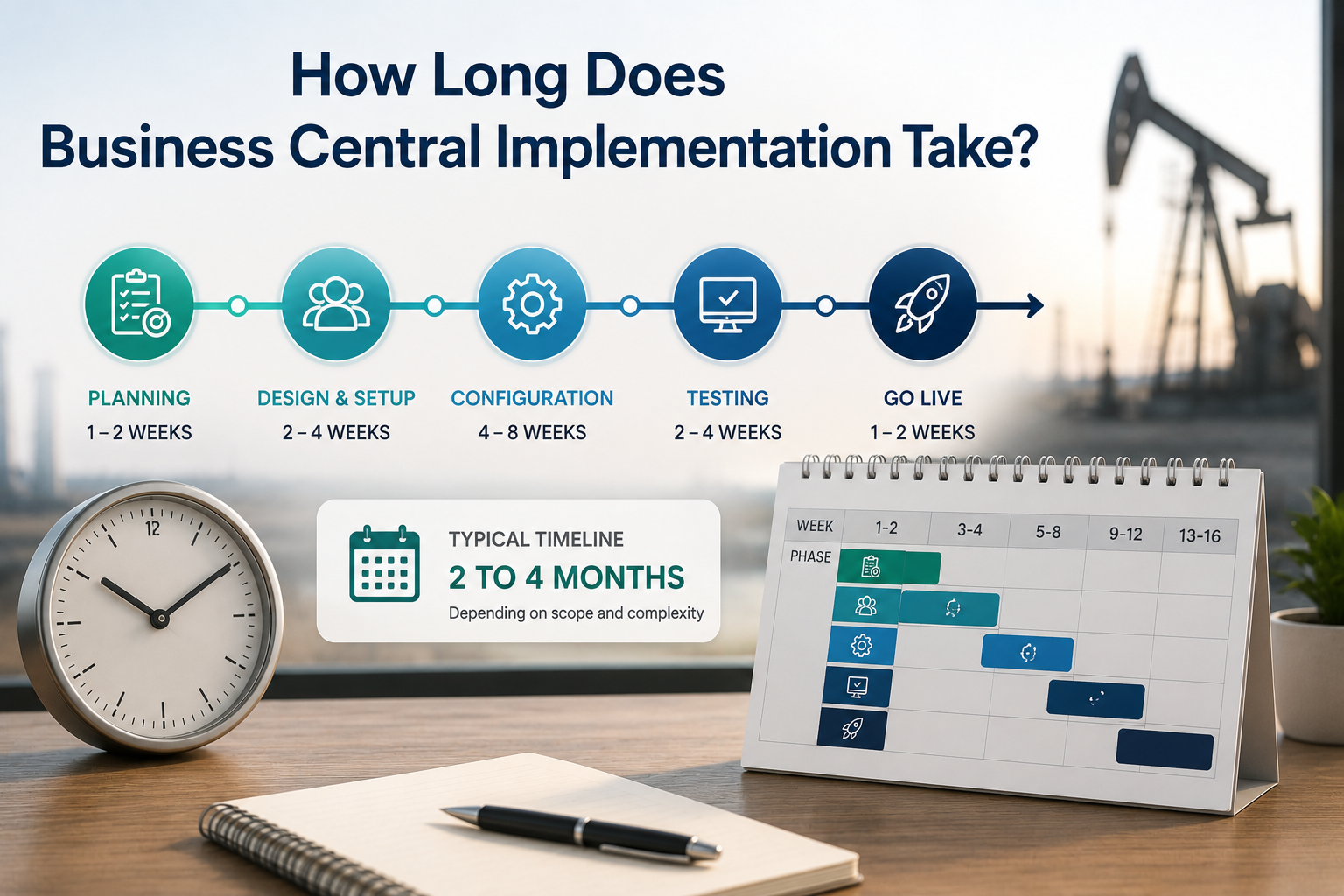
How Long Does Business Central Implementation Take?

When businesses start evaluating Microsoft Dynamics 365 Business Central, one of the first practical questions is how long does business central implementation take? It is a fair question, and the honest answer is that it depends on several factors that vary significantly from one company to the next.

What can be said with confidence is this: with the right implementation partner, a well-scoped Business Central project for a mid-market company typically goes live within 60 to 90 days. Simpler implementations can move faster. More complex ones with significant data migration, custom configurations, or multiple integrations take longer.

Understanding what drives the timeline, and what you can do to keep it on track, is more useful than a single number.

What Determines Your Implementation Timeline

Scope and Complexity

The single biggest driver of implementation timeline is the scope of what you are implementing. A company going live on Business Central financials and basic inventory with a clean existing dataset moves faster than a company implementing financials, field service, equipment rental, job costing, and hauling management with years of legacy data to migrate.

For companies in industries like oilfield service, construction, equipment rental, or discrete manufacturing, the operational complexity of the business adds configuration work that a generic accounting implementation does not require. Industry-specific extensions like ofsERP® add capability that directly addresses that complexity, but they also require configuration time to set up correctly around your specific workflows.

The right approach is not to minimize scope to shorten the timeline. It is to define scope accurately at the start so the timeline reflects what is actually being built.

Data Migration

Data migration is consistently one of the most time-consuming and most underestimated phases of any ERP implementation. Migrating customers, vendors, inventory, equipment records, open transactions, and financial balances from a legacy system into Business Central requires extraction, cleaning, mapping, and validation before anything goes live.

The condition of your existing data has a direct impact on how long this takes. Clean, well-structured data in a system with good export capabilities moves faster than years of accumulated inconsistencies across multiple disconnected tools. Companies that invest time in data cleanup before migration begins consistently have smoother go-lives and tighter timelines.

Number of Users and Locations

A 10-user implementation at a single location involves less configuration, testing, and training than a 100-user implementation across multiple sites. Each additional location introduces questions about how data is structured, how access is managed, and how reporting reflects the multi-site operation.

Business Central scales from small teams to companies with 400 or more users without a platform change, but the implementation scope expands with the size and geographic distribution of the operation.

Integration Requirements

Many businesses need Business Central to connect to other systems, payroll platforms, customer portals, third-party reporting tools, or industry-specific applications. Each integration adds scope, testing time, and potential complexity to the implementation.

CBSi’s integration capabilities cover connections across a wide range of platforms, but integration scope needs to be identified and scoped early in the process rather than added after the core implementation is already underway.

Partner Experience in Your Industry

This is where implementation partner selection has a direct impact on timeline. A partner with deep experience in your industry configures Business Central faster and more accurately than one learning your workflows for the first time.

Successful ERP implementations require a multidisciplinary team with a diverse set of skills, including a solid understanding of accounting principles, business processes, and industry-specific operations. Equally important are deep product expertise, effective project management capabilities, and strong communication skills. When even one of these elements is missing, the project is at risk of becoming challenged or failing altogether.

CBSi’s team brings all of those elements to every implementation. CBSi has refined a structured implementation process over 17 years. Most clients are live and seeing results within 60 to 90 days.

The Typical Implementation Phases

While every implementation is different, the structure of a well-managed Business Central project follows a consistent sequence of phases.

Discovery and Assessment

Before any configuration work begins, CBSi conducts a thorough assessment of your current system, your data, and your operational workflows. This phase identifies gaps between your current state and what Business Central needs to be configured to support, surfaces data quality issues that need to be resolved before migration, and establishes a clear scope and timeline for the project.

Skipping or shortcutting this phase is one of the most common contributors to implementation delays. Problems identified in discovery are far less disruptive to address than problems discovered after configuration is already underway.

Configuration and Development

With scope defined, the system is configured around your specific workflows, chart of accounts, reporting requirements, and industry needs. For companies using CBSi’s extensions for Business Central, this phase also includes setting up the industry-specific functionality that standard Business Central does not cover on its own.

Any custom solutions required for your specific operation are developed and tested during this phase before data migration begins.

Data Migration and Testing

Cleaned and mapped data is migrated into the configured Business Central environment. The system is then tested against real operational scenarios to verify that workflows, reporting, and integrations all perform correctly before any users go live.

Testing is not optional and not a formality. It is the phase that catches configuration gaps while they are still easy to address.

Training and Go-Live

CBSi delivers structured implementation plans and hands-on training designed to drive user adoption and minimize risk. Training is built around your actual workflows, not generic Business Central tutorials, which accelerates adoption and reduces the post-go-live friction that slows most implementations down.

Go-live is supported by CBSi’s team to ensure the cutover is controlled and any issues that surface in the first days of live operation are addressed quickly. 24/7 support is available after go-live to keep the system performing as it should.

Frequently Asked Questions About How Long Does Business Central Implementation Timeline Take

Can we go live faster than 60 days? Yes, for smaller implementations with clean data and limited scope. The right question is not how fast you can go live, but how fast you can go live correctly. A rushed go-live that requires significant post-launch correction costs more time overall than a well-paced implementation that gets it right from the start.

What slows implementations down most often? Data quality issues discovered late, scope changes after configuration has begun, and insufficient internal resources available to support the implementation alongside day-to-day operations are the three most consistent contributors to timeline slippage.

Does a migration from NAV to Business Central take longer than a new implementation? It depends on the complexity of your NAV environment. CBSi’s Dynamics NAV migration approach evaluates your current setup, identifies what to retain, and structures the migration to minimize disruption. In many cases, a NAV-to-BC migration is faster than a greenfield implementation because the business processes are already defined and the data is already in a structured ERP format.

What does implementation cost? Implementation cost varies with scope, complexity, and the number of users. CBSi’s pricing page provides a starting point, and a scheduled consultation is the most direct way to get an accurate picture of what implementation would cost for your specific situation.

The Right Implementation Gets You Live Faster

The fastest path to a successful Business Central go-live is a structured implementation with a partner who has done it before in your industry. CBSi brings over 17 years of industry ERP implementation experience and more than 30 years of combined expertise in Microsoft Dynamics NAV and Business Central. Learn more about why companies choose CBSi, explore CBSi’s full range of ERP services, and review the ofsERP® FAQ for answers to the most common questions about implementation scope and timeline.

Ready to Take Your Business to the Next Level?

The key is to start with what matters most to your business today, apply it consistently, and build from there. If you are ready to take your business to the next level, call 800-455-5915 or schedule a call!
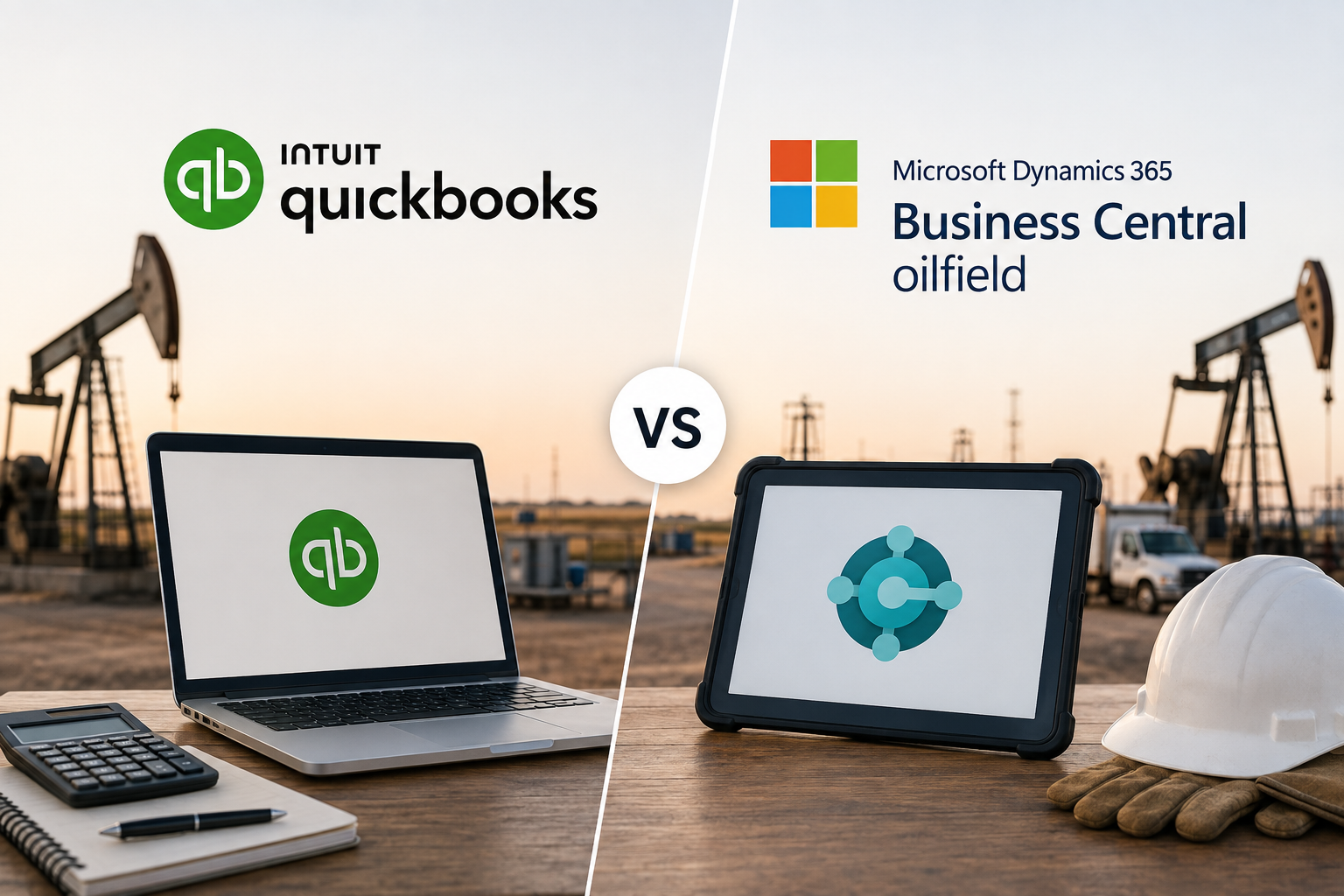
QuickBooks vs Business Central for Oilfield: When Oilfield Service Companies Outgrow Their Accounting Software

QuickBooks is where a lot of oilfield service companies start. It is affordable, familiar, and gets the job done when the business is small enough that a straightforward accounting tool covers most of what you need.

The problem is that oilfield service companies do not stay small. Jobs multiply. Crews expand. Equipment fleets grow. Service lines diversify. And at some point, the system that handled accounting for a five-person operation starts showing serious strain under the weight of a twenty, fifty, or hundred-person business running multiple lines of service across several job sites simultaneously.

That moment, when QuickBooks stops being a solution and starts being a constraint, is the moment the conversation about Microsoft Dynamics 365 Business Central with ofsERP® becomes worth having.

What QuickBooks Does Well for Early-Stage Oilfield Companies

It is worth being clear about this. QuickBooks is genuinely useful for oilfield service companies in their early stages, and the companies that start with it are not making a mistake.

For a small operation focused primarily on invoicing customers, paying vendors, tracking expenses, and producing basic financial reports, QuickBooks handles those tasks reliably and at a price point that makes sense for a business still finding its footing.

The limitations are not apparent immediately. They emerge gradually as the business grows and the gap between what QuickBooks was designed to do and what the business actually needs widens to the point where it can no longer be bridged by workarounds.

The Signs You Have Outgrown QuickBooks

Most oilfield service companies do not make the decision to move off QuickBooks because of a single breaking point. They make it because a pattern of limitations has been accumulating long enough that the cost of staying has become greater than the cost of changing.

Your Financial Data Lives in Too Many Places

QuickBooks handles accounting. It does not handle field ticketing, equipment tracking, rental order management, or job costing in any meaningful way for oilfield operations. As a result, oilfield companies running QuickBooks inevitably build a surrounding ecosystem of spreadsheets, separate field service apps, equipment tracking tools, and manual processes to cover the gaps.

The more that ecosystem grows, the more time your team spends moving data between systems, reconciling discrepancies, and managing integrations that were never designed to work together. That overhead compounds as job volume increases, and the administrative burden of holding the patchwork together starts consuming resources that should be going toward the operation itself.

Job Costing Is Impossible to Do Accurately

QuickBooks offers basic job costing functionality, but for oilfield service companies managing labor, materials, equipment usage, and overhead across multiple simultaneous jobs at different locations, that basic functionality falls well short of what is needed.

When you cannot accurately track what each job actually costs in real time, you cannot know which jobs are profitable and which are quietly eroding your margin. Pricing decisions get made on incomplete information. Underperforming jobs do not get identified until month-end reporting, when the opportunity to address them has already passed.

The impact on revenue growth is direct. Companies that cannot see their job-level profitability are making growth decisions based on aggregate financials that may look healthy while individual jobs underperform.

Equipment Management Is Handled Outside the System

QuickBooks has no meaningful equipment asset management capability. For oilfield service companies whose fleet is their primary revenue-generating asset, that gap is significant.

Equipment location, availability, utilization, maintenance history, and rental status all have to be managed in separate tools or spreadsheets. The result is the visibility problem that oilfield equipment asset management articles consistently identify as one of the most costly operational gaps in the industry: you do not know where your equipment is, whether it is available, or whether it is being utilized at a rate that justifies its cost on the balance sheet.

Billing Delays Are Becoming a Cash Flow Problem

In QuickBooks, the billing process depends on information that has to come from somewhere else. Field tickets have to be collected, data has to be entered manually, and the gap between job completion and invoice delivery grows with every step that requires human intervention.

For oilfield service companies trying to improve cash flow, that billing lag is one of the most direct contributors to receivables buildup. The proof and formulas behind billing efficiency make clear how significantly even modest reductions in billing cycle time translate into measurable cash flow improvement.

Reporting Does Not Give You What You Actually Need

QuickBooks produces standard financial reports. It does not produce the operational reporting that oilfield service companies need to run their business effectively: equipment utilization by asset, job profitability by service line, billing cycle performance, field ticket status across active jobs, or revenue by crew and location.

Getting those insights from QuickBooks requires exporting data, building reports in Excel, and spending time on analysis that should be available within the system itself. As the business grows, that reporting gap becomes a decision-making gap. Leadership is operating on incomplete information because the system cannot surface what they actually need to see.

The System Cannot Scale With Your Operation

QuickBooks was built for small business accounting. It was not built to support a growing oilfield service company managing hundreds of jobs, a large equipment fleet, multiple service lines, and a team that spans the field and the office.

As your operation grows, the limitations of QuickBooks do not just persist. They compound. More jobs mean more manual data entry. More equipment means more spreadsheets. More service lines mean more reconciliation. The administrative overhead required to keep QuickBooks functional at scale grows faster than the revenue that is supposed to be supporting it.

What Business Central With ofsERP® Does Differently

Microsoft Dynamics 365 Business Central with ofsERP® is not just a bigger version of QuickBooks. It is a fundamentally different approach to running an oilfield service business.

Everything in One Connected System

Rather than a core accounting tool surrounded by disconnected workarounds, Business Central with ofsERP® is a single environment where field operations, equipment management, billing, inventory, and financials all share the same data in real time.

Field tickets submitted by a crew in the field flow directly into invoicing without manual re-entry. Equipment usage captured on a job site flows directly into job costing. Rental orders, service orders, repair orders, and sale orders all run through the same system with distinct order types that reflect how oilfield companies actually operate. There is no ecosystem of separate tools to manage and no reconciliation process between systems that were never designed to work together.

Real-Time Job Costing That Protects Margin

ofsERP® connects labor, materials, equipment usage, and overhead to individual jobs as they happen. Your team can see what each job is actually costing in real time, not at month end when the numbers have already been locked in.

That visibility directly supports better pricing decisions, earlier identification of margin erosion, and more informed conversations with customers about scope changes before they affect profitability. For oilfield companies focused on cost reduction, real-time job costing is one of the most effective tools available.

Equipment Management Built Into the Platform

Every piece of equipment in your fleet has a complete record in ofsERP®, covering its full deployment history, maintenance log, repair records, utilization data, and current status. Scheduling is based on real availability information rather than phone calls. Maintenance is preventive rather than reactive. Fleet decisions are based on utilization data rather than intuition.

That level of equipment visibility is simply not possible in QuickBooks, and it makes a measurable difference in how efficiently your fleet generates revenue.

Billing That Keeps Pace With Operations

Because paperless field ticketing connects directly to invoicing in ofsERP®, the gap between job completion and invoice delivery shrinks dramatically. Billing keeps pace with operations rather than lagging behind them, which means receivables build up more slowly and cash flow reflects your actual job activity rather than a delayed version of it.

Reporting That Surfaces What You Actually Need

Business Central with ofsERP® produces operational and financial reporting that reflects how oilfield service companies think about their business. Equipment utilization, job profitability, billing cycle performance, crew productivity, and financial summaries are all available within the system without requiring manual exports or external analysis tools.

Microsoft Copilot, built into Business Central, extends that reporting capability further by allowing your team to ask questions in plain language and receive immediate answers from live operational data. The Microsoft Copilot in Business Central overview explains how this AI capability works in practice.

A Platform That Scales Without Friction

ofsERP® currently supports oilfield service companies with 5 to 400 users. Adding users, expanding service lines, and growing job volume does not require a system change or a significant increase in administrative overhead. The platform scales with your business because it was built for businesses at the scale your operation is heading toward, not just the scale it is at today.

The Migration From QuickBooks to Business Central

Moving from QuickBooks to Business Central is a significant operational transition, and it is worth approaching it with the same seriousness as any major business decision.

The good news is that CBSi has guided oilfield service companies through this transition many times. The migrating to Business Central guide covers the key steps, common challenges, and what a well-managed migration looks like in practice. CBSi’s approach starts with a thorough assessment of your current data and workflows before any migration work begins, which means the system you go live on is configured correctly from day one rather than requiring significant adjustment after the fact.

CBSi brings over 17 years of oilfield ERP implementation experience and more than 30 years of combined expertise in Microsoft Dynamics NAV and Business Central to every migration it manages. That depth of experience reduces the risk that comes with any major system transition and ensures the new platform is built around how your oilfield operation actually works rather than a generic business template. Learn more about why oilfield companies choose CBSi and explore the full range of ERP services CBSi provides from assessment through go-live and beyond.

QuickBooks vs Business Central Oilfield

The honest answer is that most oilfield service companies wait longer than they should. The limitations of QuickBooks build gradually, and because each individual workaround seems manageable in isolation, the cumulative cost of staying on an inadequate system does not always feel urgent until it becomes impossible to ignore.

The right time to evaluate Business Central with ofsERP® is before the limitations of your current system start actively constraining your growth, not after they have already cost you jobs, margin, or customers.

If any of the patterns described in this article feel familiar, that is a signal worth paying attention to sooner rather than later. The ofsERP® FAQ is a useful starting point for understanding how the platform addresses the specific operational challenges that QuickBooks cannot handle for oilfield service companies.

Ready to Take Your Oilfield Business to the Next Level?

The key is to start with what matters most to your business today, apply it consistently, and build from there. If you are ready to take your oilfield business to the next level, call 800-455-5915 or schedule a call!

Business Central Finance Features

If you’re evaluating an ERP system, finance is usually where the conversation starts.

And for good reason.

Financial management affects nearly every part of your business—from cash flow and reporting to budgeting, purchasing, compliance, and long-term planning. It influences how quickly decisions can be made, how accurately performance can be measured, and how effectively resources can be allocated.

When financial processes are disconnected or heavily manual, the impact is rarely isolated to the accounting department. It often affects operations, management visibility, and the business’s ability to respond to change.

That’s where the finance capabilities within Business Central Finance Features, built into Microsoft Dynamics 365 Business Central, begin to make a meaningful difference.

Rather than relying on separate tools, spreadsheets, or workarounds to manage financial activity, Business Central brings core financial functions into a single system, helping improve visibility, reduce inefficiencies, and support better financial control.

At CBSi, we often work with businesses that have reached a point where financial complexity begins to outgrow the systems they have in place. That is often where the value of a more connected financial platform becomes much easier to recognize.

What Business Central Finance Features Are Designed to Support

At a practical level, Business Central finance features are designed to support the financial processes businesses rely on every day—not just from an accounting perspective, but from an operational and strategic one as well.

This includes managing transactions, maintaining financial records, supporting reporting, improving forecasting, and creating better visibility into financial performance.

When people refer to finance functionality within Business Central, they often focus on features such as general ledger, payables, receivables, and reporting.

Those features matter, but their real value is not simply in their availability.

It is in how they operate together.

For example, when transactions flow through a connected system, reporting becomes more accurate. When payables and receivables are managed within the same environment as cash flow and forecasting, financial planning becomes more informed.

At CBSi, we often describe this as moving beyond transactional accounting and toward a more connected financial management model.

That shift can improve both efficiency and decision-making.

Where Financial Gaps Start to Appear

Most businesses do not begin with a fully integrated finance platform.

Many start with accounting software, spreadsheets, and manual processes that work well for a time.

But as operations grow, those systems often begin to show limitations.

The gaps usually do not appear all at once.

They develop gradually, often in ways that are easy to overlook until they begin affecting performance.

Manual Financial Processes

Tasks such as reconciliations, approvals, and report preparation often still involve significant manual effort.

At lower volumes, these tasks may feel manageable.

But as transaction activity increases, those same processes begin taking more time and requiring more attention.

Over time, they can create delays and increase the likelihood of inconsistencies.

At CBSi, we have seen businesses where finance teams were spending far too much time maintaining processes that should have been supporting the business, not slowing it down.

Delays in Financial Visibility

Timely access to financial information is critical.

But when reports require pulling data from multiple sources, validating information manually, or reconciling figures before review, visibility is delayed.

And when visibility is delayed, decision-making often is as well.

That can affect everything from spending decisions to operational planning.

Disconnected Financial Data

When financial data exists across multiple systems, maintaining consistency becomes more difficult.

Teams may need to reconcile the same information repeatedly or rely on workarounds to keep systems aligned.

That increases effort and often reduces confidence in the information being used.

How Business Central Strengthens Financial Management

This is where Business Central finance features begin to stand out.

Rather than treating each financial process as separate, the system connects them.

Transactions, purchasing, reporting, and cash flow all operate within the same environment, reducing the need for duplicate effort and manual coordination.

That means when activity happens in one area, it can be reflected across the system automatically.

This helps improve consistency while reducing delays caused by disconnected processes.

At CBSi, this is often one of the biggest changes businesses notice early on.

The system does not simply centralize financial data.

It improves how that data supports the business.

That distinction matters.

Because stronger financial management is not just about keeping accurate records. It is about improving how information moves through the organization.

Core Finance Features That Support Daily Operations

The financial capabilities in Business Central are designed to support both daily execution and longer-term planning.

That is important because strong financial systems need to support more than transactions alone.

They need to support decision-making.

Some of the most widely used capabilities include:

  • General ledger functionality to support financial accuracy, structure, and reporting
  • Accounts payable and receivable tools to manage vendor and customer transactions more efficiently
  • Cash flow management for greater visibility into incoming and outgoing funds
  • Budgeting and forecasting tools that support planning and financial control
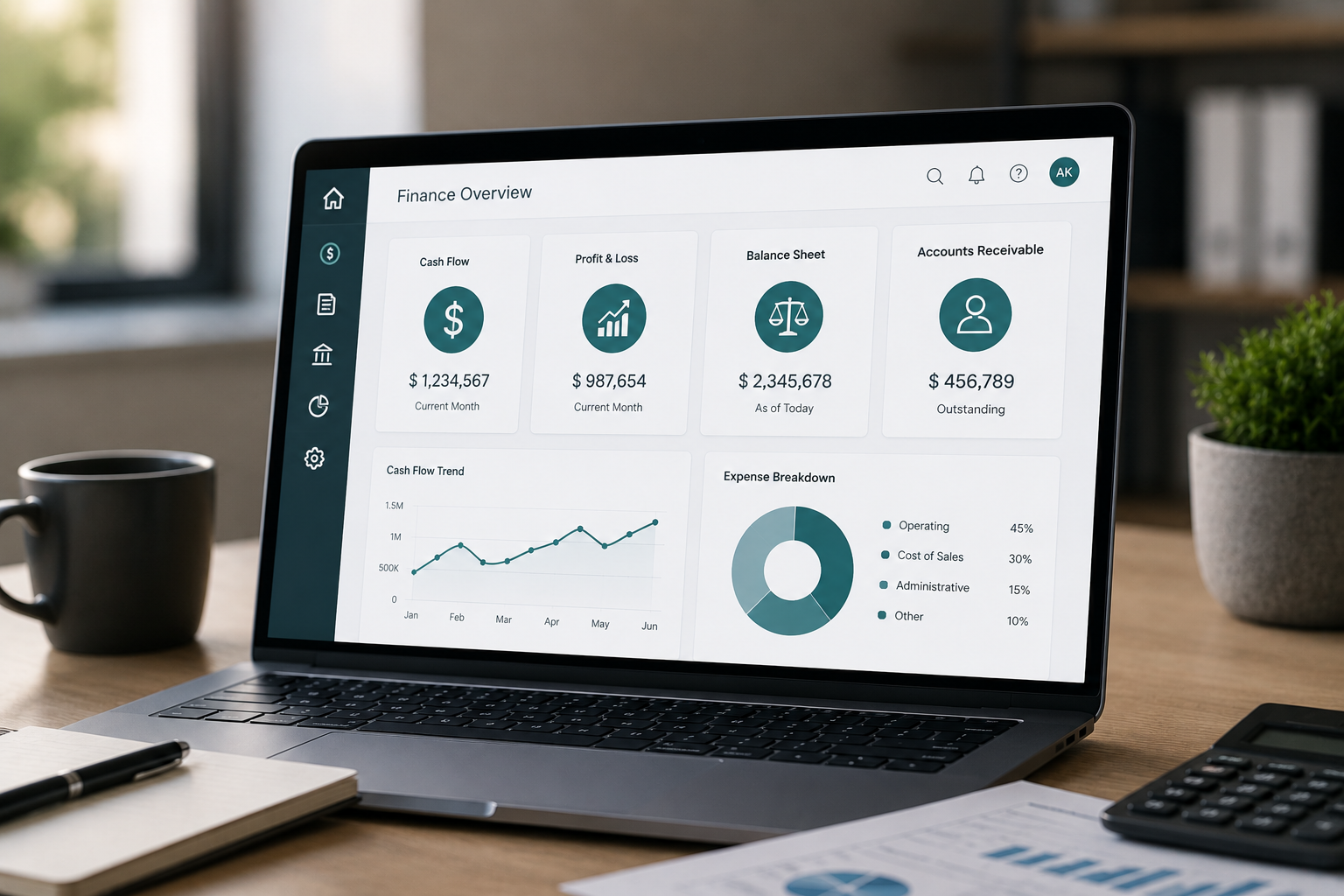
  • Financial reporting and analytics for real-time insight into business performance

Each of these capabilities provides value individually.

But much of their real impact comes from operating together.

That is where efficiency is often gained.

And at CBSi, we often see businesses begin recognizing that value once they move beyond using these tools as isolated features and begin using them as part of a connected process.

A Scenario That Reflects Real Financial Operations

Let’s say your business is preparing for month-end close.

In a traditional process, your team may be gathering information from multiple systems, reconciling balances manually, validating transactions, and then preparing reports.

That can take days.

And in many cases, it involves significant effort just to prepare information for review.

Now consider the same process within Business Central.

Financial data is already centralized.

Transactions are reflected in real time.

Reports can be generated within the system, reducing reliance on external spreadsheets and reducing repeated reconciliation.

Your team still reviews and validates the results.

But the time spent gathering, organizing, and preparing the information is significantly reduced.

At CBSi, this is one of the most common improvements businesses recognize early.

Month-end processes become more manageable.

Reporting becomes more timely.

And financial visibility improves.

Measuring the Operational Impact

One of the most practical ways to evaluate finance features is by looking at efficiency.

If your team can reduce the time spent on reporting, reconciliations, or manual processing, those gains can add up quickly.

Even modest reductions in administrative effort can create meaningful operational improvements over time.

Across a year, those improvements can translate into:

  • Faster reporting cycles
  • Improved internal controls
  • Better use of finance resources

And often, better decision-making as a result of having more timely information.

At CBSi, we often find that the operational impact is not just in time saved.

It is in how that time gets redirected toward higher-value work.

A Simple Way to Evaluate Financial ERP Capabilities

When considering broader erp capabilities, finance is often where value becomes most measurable.

A strong financial ERP system should help you:

  • Access accurate financial information when you need it
  • Reduce manual effort across accounting and reporting
  • Improve planning through stronger visibility and forecasting

If those outcomes are improving, the system is delivering value.

And those outcomes tend to affect far more than finance alone.

They often support stronger performance across the business.

The Role of Automation and AI in Financial Management

Finance systems continue to evolve.

And increasingly, automation and AI are becoming part of that evolution.

With tools like Microsoft Copilot and AI-assisted capabilities, businesses can improve how financial data is interpreted and used.

This can support:

  • Faster access to financial insights
  • Reduced time spent on repetitive processes
  • Improved support for forecasting and analysis

At CBSi, we see these tools as strengthening financial processes, not replacing them.

They help improve efficiency while supporting better decisions.

Getting More Value from Business Central Finance Features

If your business is already using Microsoft Dynamics 365 Business Central, improving finance performance is often less about adding more tools and more about using the system more effectively.

That may involve improving how features are used, aligning them more closely with your workflows, or identifying opportunities to reduce friction in financial processes.

At CBSi, this is often where we help businesses focus.

Making sure the system supports how financial operations actually work—not just how the software was designed in theory.

Improving How Finance Supports Your Business

At a certain point, finance systems should do more than maintain records.

They should support how your business plans, operates, and grows.

If your team is spending too much time on manual processes, delayed reporting, or managing disconnected financial data, those are clear indicators that there may be a better way to support those functions.

Business Central finance features provide a practical way to improve efficiency, strengthen visibility, and bring more control into your financial operations.

And at CBSi, helping businesses make those improvements is a big part of how we support long-term operational performance.

As those improvements begin to take effect, the impact becomes clear—not just in finance, but across the business as a whole.

Business Central Supply Chain Features

If you’re evaluating an ERP system, supply chain functionality is often one of the areas where efficiency gains can be felt the fastest.

And for good reason.

Supply chain performance affects purchasing, inventory, fulfillment, vendor relationships, and ultimately customer satisfaction. When those processes are disconnected or heavily manual, the impact is rarely limited to one department. It can affect lead times, operating costs, visibility, and your ability to respond to demand.

That’s where the capabilities within Business Central Supply Chain Features, built into Microsoft Dynamics 365 Business Central, begin to make a meaningful difference.

Rather than managing supply chain activity across multiple systems or spreadsheets, Business Central brings core processes into a connected environment, helping improve visibility, reduce friction, and support better operational control.

At CBSi, we often work with businesses that have reached a point where supply chain complexity begins to outgrow their current processes. That is often where the value of a more integrated system becomes much clearer.

What Business Central Supply Chain Features Are Designed to Support

At a practical level, Business Central supply chain features are designed to support the operational processes businesses rely on to manage purchasing, inventory, vendor activity, and product movement.

This includes day-to-day execution, but it also supports planning, forecasting, and overall supply chain coordination.

When people talk about supply chain functionality in Business Central, they often focus on areas such as inventory management, purchasing, order management, and demand planning.

Those capabilities are important.

But the real value is not simply in having those features available.

It is in how they operate together.

For example, when purchasing activity is connected to inventory availability, replenishment decisions can improve. When demand planning is connected to order and fulfillment activity, operational responsiveness improves.

At CBSi, we often describe this as moving from managing supply chain transactions to managing supply chain performance.

That shift can have a measurable impact on both efficiency and visibility.

Where Supply Chain Gaps Start to Appear

Most businesses do not begin with a fully integrated supply chain system.

Many rely on purchasing tools, spreadsheets, manual inventory tracking, and processes that work well early on.

But as operations grow, those processes often begin to show limitations.

And those gaps usually appear gradually.

Manual Supply Chain Processes

Tasks such as purchase order management, inventory updates, and vendor coordination often still involve manual effort.

At lower volumes, those processes may feel manageable.

But as transaction activity increases, they begin taking more time and introducing more opportunities for errors or delays.

At CBSi, we have seen businesses spend significant effort maintaining supply chain processes that could be streamlined through stronger system integration.

Limited Visibility Across Inventory and Demand

Visibility is critical in supply chain management.

But when inventory levels, demand signals, and purchasing activity are not aligned, businesses often struggle to make timely decisions.

This can lead to overstocking, stockouts, or delayed fulfillment.

And all of those issues can affect both costs and customer service.

Disconnected Supply Chain Data

When purchasing, inventory, and fulfillment data live across multiple systems, consistency becomes harder to maintain.

Teams may spend time reconciling information or relying on workarounds to keep processes aligned.

That increases workload and often reduces confidence in the data being used.

How Business Central Strengthens Supply Chain Management

This is where Business Central supply chain features begin to stand out.

Rather than treating each supply chain function separately, the system connects them.

Purchasing, inventory, planning, and order fulfillment operate within the same environment, reducing the need for duplicate entry and manual coordination.

That means activity in one area can be reflected across the system automatically.

Changes in inventory can affect purchasing decisions.

Demand signals can support planning.

Order activity can improve visibility into fulfillment.

At CBSi, this is often where businesses begin seeing the difference.

The system does not simply centralize supply chain data.

It improves how that data supports operational decisions.

And that is where much of the value comes from.

Core Supply Chain Features That Support Daily Operations

The supply chain capabilities in Business Central are designed to support both day-to-day execution and broader operational planning.

Some of the most widely used capabilities include:

  • Inventory management to improve visibility into stock levels and movement
  • Purchasing functionality to support procurement and vendor management
  • Demand planning tools to support forecasting and replenishment decisions
  • Order management features to improve fulfillment coordination
  • Reporting and analytics to provide insight into supply chain performance

Each of these capabilities provides value on its own.

But much of their impact comes from operating together as part of a connected system.

At CBSi, we often see businesses begin recognizing that value once they start using these tools as part of a broader process rather than isolated functions.

A Scenario That Reflects Real Supply Chain Operations

Let’s say your business is managing increasing order volume while trying to maintain inventory availability.

In a traditional process, your team may be reviewing inventory manually, coordinating purchasing through separate tools, and using spreadsheets to manage replenishment.

That can work for a time.

But as activity increases, delays and inconsistencies can begin to appear.

Now consider the same process within Business Central.

Inventory levels are visible in real time.

Purchasing activity is connected to availability.

Demand signals can support replenishment decisions.

And reporting can help identify trends that affect planning.

Your team still manages decisions.

But the time spent gathering and reconciling information is reduced.

At CBSi, this is one of the improvements businesses often notice early—better visibility and more confidence in supply chain decisions.

Measuring the Operational Impact

One of the most practical ways to evaluate supply chain features is by looking at efficiency.

If your team can reduce the time spent on manual inventory management, purchasing coordination, or supply planning, those gains add up quickly.

Even modest improvements can create meaningful operational impact over time.

Across a year, those improvements can translate into:

  • Better inventory control
  • Faster purchasing and replenishment decisions
  • Improved use of operational resources

And often, stronger customer service as a result of more reliable fulfillment.

At CBSi, we often find that the impact is not simply in time saved.

It is in how those improvements support stronger operational performance.

A Simple Way to Evaluate Supply Chain ERP Capabilities

When considering broader erp capabilities, supply chain functionality is often where value becomes highly measurable.

A strong ERP system should help you:

  • Improve visibility across inventory and purchasing
  • Reduce manual effort in supply chain processes
  • Support planning and responsiveness as operations grow

If those outcomes are improving, the system is delivering value.

And those outcomes often affect much more than supply chain alone.

They can influence performance across the business.

The Role of Automation and AI in Supply Chain Management

Supply chain systems continue to evolve.

And increasingly, automation and AI are becoming part of that evolution.

With tools like Microsoft Copilot and AI-assisted capabilities, businesses can improve how supply chain data is interpreted and used.

This can support:

  • Faster access to operational insights
  • Reduced time spent on repetitive processes
  • Improved support for forecasting and planning

At CBSi, we see these tools as strengthening supply chain performance, not replacing strong processes.

They help improve efficiency while supporting better decisions.

Getting More Value from Business Central Supply Chain Features

If your business is already using Microsoft Dynamics 365 Business Central, improving supply chain performance is often less about adding more tools and more about using the system more effectively.

That may involve improving how features are used, aligning them more closely with your workflows, or identifying opportunities to reduce friction in supply chain processes.

At CBSi, this is often where we help businesses focus.

Making sure the system supports how supply chain operations actually work—not just how software was designed in theory.

Improving How Supply Chain Supports Your Business

At a certain point, supply chain systems should do more than support transactions.

They should support how your business responds, plans, and grows.

If your team is spending too much time on manual processes, limited visibility, or managing disconnected supply chain data, those are clear indicators that there may be a better way to support those functions.

Business Central supply chain features provide a practical way to improve efficiency, strengthen visibility, and bring more control into your supply chain operations.

And at CBSi, helping businesses make those improvements is a big part of how we support long-term operational performance.

As those improvements begin to take effect, the impact becomes clear—not just in supply chain, but across the business as a whole.

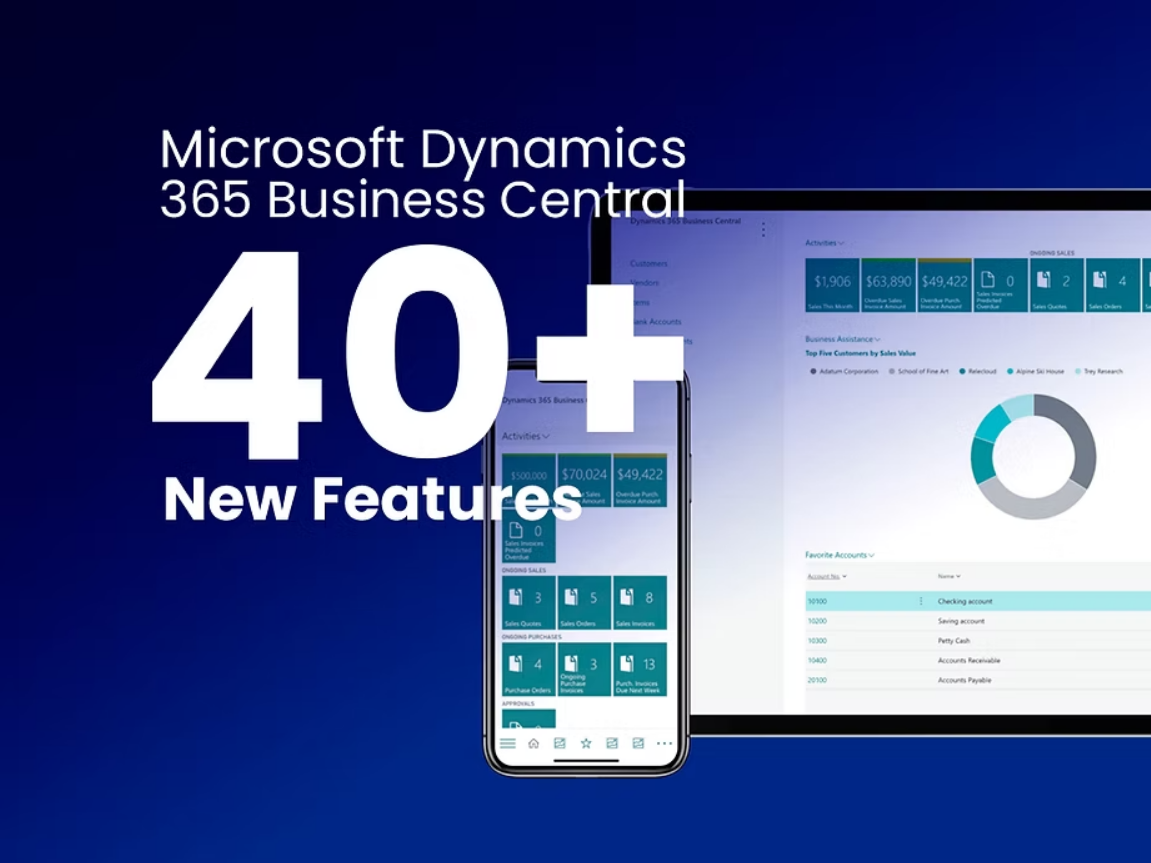
Business Central releases 40+ new features. Active user count grows 75%,

Key takeaways from Microsoft’s business applications partner conference, Directions 2023, April 14-19.

Microsoft’s design and development team continues to rapidly expand the capabilities of Business Central. These consist of new end-user features, new back-end technologies, new native Microsoft integrations with other Dynamics products and with Shopify, Artificial Intelligence, and over 40 more new capabilities that have been released or will soon be released in 2023. My top takeaways from the conference include the following:

  • Business Central continues to be Microsoft’s most popular and highest selling ERP and is also the fastest growing, with an astonishing 75% increase in active users year-over-year.
  • An “Analyze” button, has been added to every list page which displays the totals and subtotals for each numeric column, including custom fields. Users can apply filters, sort by groups, and the totals are recalculated to respect the filter. Views can be saved for further analysis. The result is Excel pivot table functionality residing in BC, without Excel, for quick, powerful analysis.
  • The user interface and menu system has been enhanced, providing users more flexibility in personalizing their dashboard and pages. For example, lower-level menu items may be pinned to the top level for access with a single click. Users can now also use a “split view” mode to see two pages side by side, “drag and drop” images to Business Central, and enjoy other ease-of-use and navigational features.
  • Statistical accounts have been added to the General Ledger and Financial Reporter to allow users to track non-financial data such as headcount, square footage, units sold, etc. and include statistical information and ratios within financial statements.
  • Microsoft 365 licenses of Office E3 and Teams will include full read access to Business Central without additional cost, enabling more users to benefit from Business Central financials, inventory, purchasing, CRM, sales, and operations.

New back-end technologies announced at the conference include:

  • A new data storage service called “Azure SQL Hyperscale” enables Business Central to perform faster queries with larger databases.
  • A new telemetry service called “Azure Application Insights” provides insights and tools to optimize Business Central performance.
  • A new security service called “Azure Sentinel” provides Business Central with enhanced threat detection and response by leveraging artificial intelligence and machine learning to identify and mitigate potential security risks.

Our ERP Experts are Happy to Help

Assessment | Implementation/Migration | Support

Contact Form

This field is for validation purposes and should be left unchanged.
Name(Required)
Company Email Required