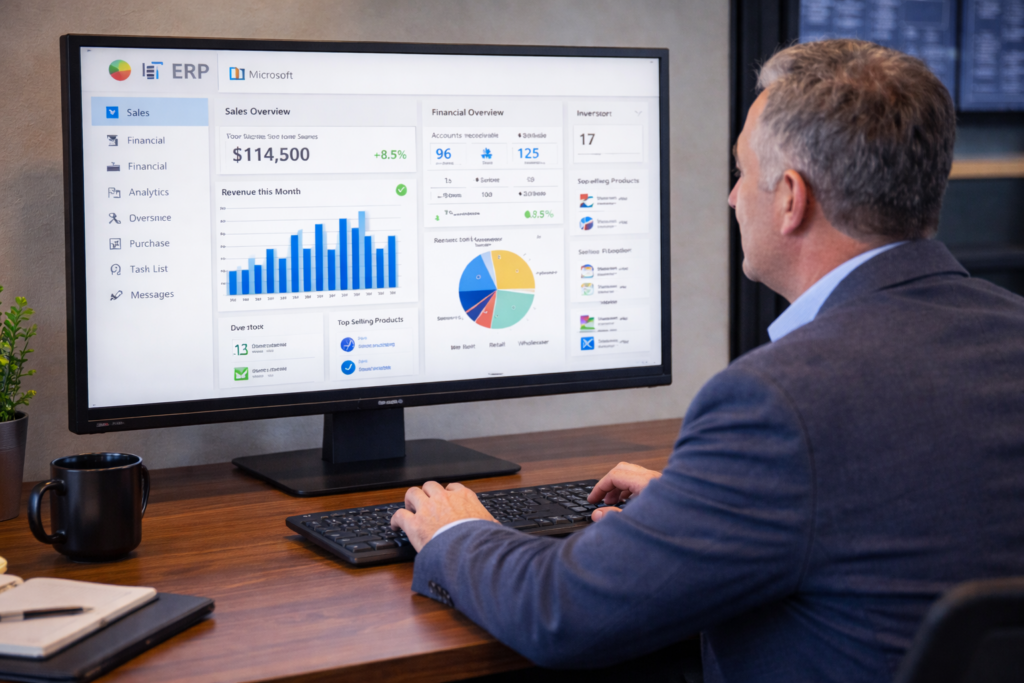
If you’re evaluating an ERP system, you’re likely trying to understand one thing—how it will actually support your business on a daily basis.
Most platforms offer similar capabilities on the surface. Financial management, reporting, operations—they’re all there. But what matters is how those features work together once your business starts scaling.
That’s where business central features, within Microsoft Dynamics 365 Business Central, start to stand out.
Instead of relying on separate tools and manual workarounds, Business Central brings your core processes into a single system, making it easier to manage operations without added complexity.
What Business Central Is Designed to Do
At its core, Business Central is built to centralize how your business operates.
It connects financials, sales, inventory, and operations into one system, allowing data to flow across departments without requiring constant updates or reconciliation.
When people refer to microsoft dynamics 365 features, this is what they’re pointing to—the ability to manage multiple areas of the business without relying on disconnected systems.
Where Businesses Start to Experience Gaps
Most businesses don’t immediately need an ERP system. But as operations grow, the limitations of disconnected tools become more noticeable.
You may start to see it in areas like reporting, inventory, and internal workflows.
Disconnected Data
Financial data may exist in one system, while operational data lives in another.
This creates delays when trying to get a complete view of performance.
Manual Workarounds
Teams often rely on spreadsheets or duplicate data entry to keep systems aligned.
Over time, this increases both workload and the risk of errors.
Limited Visibility
Without real-time data, decision-making becomes slower.
You may find yourself waiting on reports or verifying information before taking action.
How Business Central Connects Your Processes
This is where the structure of business central modules becomes important.
Rather than treating each function separately, Business Central connects them within a single environment.
When activity happens in one area—such as a sale or purchase—it is reflected across the system automatically.
This reduces manual updates and keeps your data consistent across departments.
Core Features That Support Daily Operations
The erp features list in Business Central is designed to support the key functions most businesses rely on.
These include:
- Financial management, including general ledger, accounts payable and receivable, and cash flow tracking
- Sales and customer management, covering quotes, orders, and customer activity
- Purchasing and vendor management, improving how you handle procurement
- Inventory management, providing real-time visibility into stock and movement
- Project and job tracking, helping you monitor costs and performance
- Reporting and analytics, giving you access to up-to-date business insights
Each of these features works within the same system, which removes the need to reconcile data across multiple platforms.
A Scenario That Reflects What Many Businesses Experience
Let’s say your business is growing steadily.
Order volume is increasing, your customer base is expanding, and your team is processing more transactions than before.
At first, your existing systems may keep up. But over time, gaps start to appear.
Inventory levels don’t always match. Reports take longer to complete. Teams begin relying on spreadsheets to track information outside the system.
Now compare that to running the same operation within Business Central.
Sales transactions update inventory automatically. Financial data reflects activity in real time. Reports can be generated without pulling information from multiple sources.
Instead of adding more steps to manage growth, the system supports it.
Proving the Operational Impact
When systems are disconnected, even simple tasks take longer than expected.
Generating reports, reconciling data, or tracking performance often requires multiple steps and manual validation.
With a unified system, those steps are reduced.
If your team saves even a few hours each week by eliminating manual processes, the impact adds up quickly.
Across a year, that can translate into hundreds of hours that can be redirected toward higher-value work.
A Simple Way to Look at ERP Capabilities
When evaluating erp capabilities, it helps to focus on outcomes rather than individual features.
A system should allow you to:
- Access accurate, real-time information
- Reduce manual work across your team
- Keep operations aligned as your business grows
If those areas are addressed, the system is doing its job.
The Role of AI and Automation in Business Central
ERP systems are continuing to evolve beyond basic functionality.
With tools like Microsoft Copilot, Business Central is moving toward AI-supported workflows.
This allows businesses to:
- Access insights faster
- Reduce time spent on repetitive tasks
- Improve how data is used in decision-making
AI enhances the system without changing how your business operates.
Extending Business Central for Specific Business Needs
Some businesses require additional functionality beyond standard ERP features.
In these cases, extensions such as ofsERP can be used to support more specialized workflows.
This allows you to maintain a single system while adapting it to your specific operational requirements.
Getting More Value from Business Central
The full value of business central features comes from how the system is used.
When properly implemented, Business Central can:
- Reduce operational complexity
- Improve data accuracy
- Provide better visibility across your organization
It becomes less about managing systems and more about managing your business.
Start Consolidating Your Systems
At a certain point, managing multiple systems stops being efficient and starts slowing your business down.
If your team is spending time moving data between platforms, fixing inconsistencies, or waiting on reports, those are clear signs that your current setup is working harder than it should.
Business Central gives you the ability to bring those processes together into a single system—without adding unnecessary complexity.
The result is not just better organization, but better control over how your business operates.
And if you’re already considering ways to improve efficiency, reduce manual work, and get more reliable insights, this is typically where businesses begin to take the next step.
The key is to start with what matters most to your business today, apply it consistently, and build from there. If you’re ready to start your oilfield business to the next level, call 800- 455-5915 or schedule a call!